Google Gemini review 2026 — the short version: Gemini’s case isn’t that it’s a better AI than ChatGPT or Claude. It’s that it’s a more conveniently placed one.
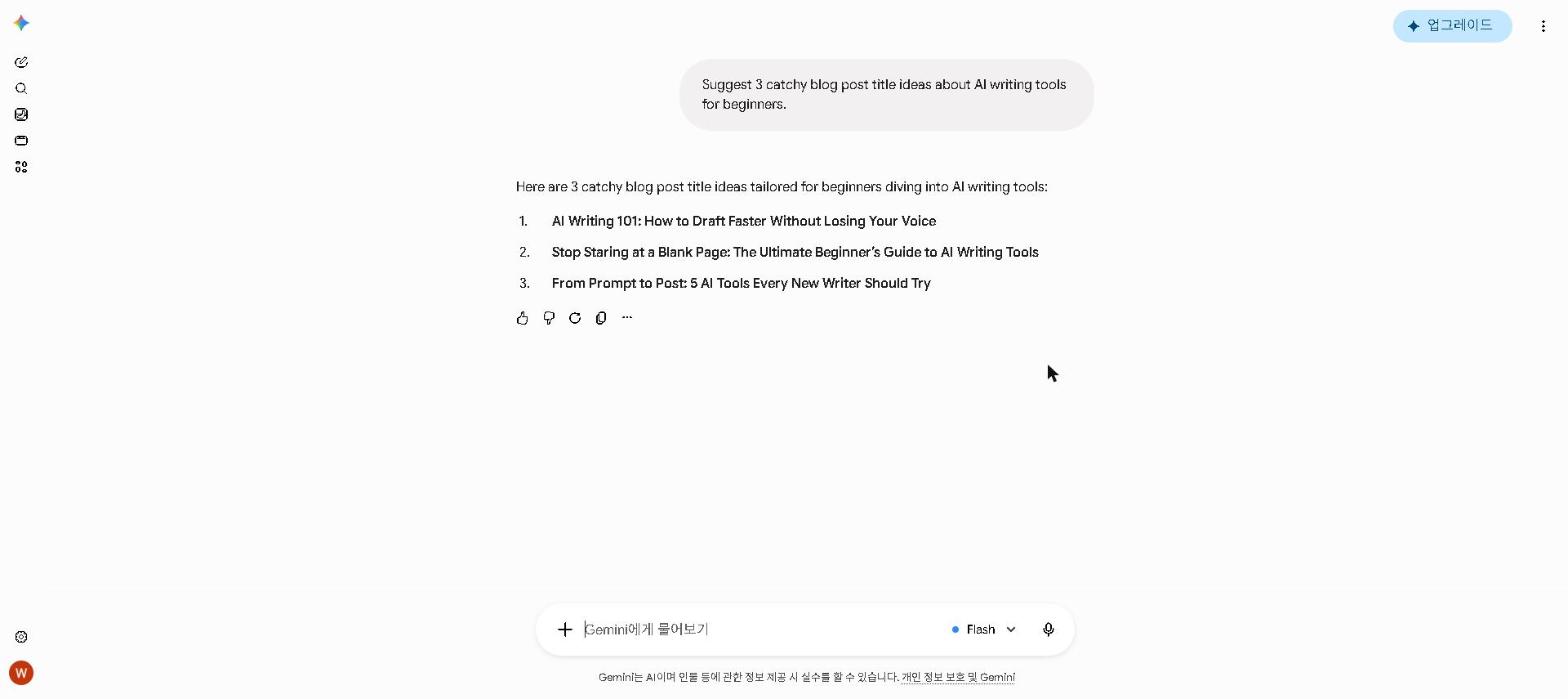
Here’s an actual screenshot from my own Gemini session:
Without an integrated assistant, getting AI help while you work in Google Docs or Gmail means copying text, switching to another tab, pasting into a chatbot, and copying the answer back. That works, but it interrupts focus in a way that adds up over a day of writing and communication.
Gemini’s Workspace integration removes that loop for the tasks that come up most — rewriting a paragraph, checking the tone of an email, summarizing a long document you need to respond to — by putting the assistant inside the app you’re already in. Check which Google plan includes the in-app panel for your account type before counting on it.
That’s Gemini’s value proposition in one sentence: not the best AI available, but the best AI for Google Workspace users.
If you only care about the short answer: if you use Google’s apps regularly, Gemini deserves a place in your toolkit. If you don’t, ChatGPT or Claude are more practical starting points.
Should You Use Google Gemini?
- Do you use Gmail, Google Docs, Drive, or Sheets regularly? → Yes, Gemini is built for you
- Do you want AI that works inside your existing apps? → Yes, Gemini’s integration is the best available
- Do you need the highest quality creative writing? → No — Claude is better for this
- Do you primarily use Microsoft Office? → No — ChatGPT’s integrations are stronger
- Are you looking for the best free AI plan? → Yes, Gemini’s free tier is one of the most generous available
Quick Summary
| Feature | Rating |
|---|---|
| Writing Quality | ⭐⭐⭐⭐ (4/5) |
| Google Workspace Integration | ⭐⭐⭐⭐⭐ (5/5) |
| Research & Web Search | ⭐⭐⭐⭐ (4/5) |
| Image Generation | ⭐⭐⭐⭐ (4/5) |
| Free Plan Value | ⭐⭐⭐⭐⭐ (5/5) |
| Overall | ⭐⭐⭐⭐ (4/5) |
Verdict: Google Gemini is the best AI assistant for Google Workspace users. If you live in Gmail, Docs, and Drive, it’s an essential tool. For standalone AI tasks, ChatGPT and Claude still hold an edge — but the free plan makes Gemini worth adding regardless.
What Is Google Gemini?
Google Gemini is Google’s flagship AI assistant, powered by the Gemini family of large language models. It’s available as a standalone app at gemini.google.com, and — crucially — it’s deeply integrated into Google’s suite of apps including Gmail, Google Docs, Google Drive, and Google Sheets.
Unlike standalone AI tools, Gemini’s defining strength is its ability to work directly within the apps you already use every day — making it one of the most practical AI tools for anyone in the Google ecosystem.
Key Features
Gemini 3.5 Flash — The Latest Model
Gemini 3.5 Flash is Google’s newest model, announced at Google I/O 2026. It delivers frontier-level performance for agentic tasks and coding — rivaling large flagship models on multiple dimensions while maintaining the speed the Flash series is known for. Google engineered it from the ground up using purpose-built AI infrastructure, allowing deeper reasoning capabilities with every new generation.
Gemini 3.1 Pro — The Previous Flagship
Gemini 3.1 Pro remains available and is Google’s most capable model for everyday professional use. It features adjustable reasoning levels and achieved a verified score of 77.1% on ARC-AGI-2 benchmarks — significantly outperforming its predecessors on complex problem-solving tasks.
Gemini Omni — Multimodal Generation
Announced at Google I/O 2026, Gemini Omni is a new model family focused on generating content across multiple formats simultaneously. Users can combine text prompts with images, audio, or video inputs to create entirely new outputs — including short video generation and editing through conversational interactions. Previous systems separated these capabilities; Gemini Omni connects them.
Deep Think Mode
Deep Think is Gemini’s advanced reasoning mode, designed for complex problems in math, science, coding, and logic. Available to Google AI Ultra subscribers.
Gemini Live — Real-Time Conversation
Gemini Live enables seamless, real-time voice conversations — now available on both mobile and web — making it one of the most interactive AI assistants available.
Real-Time Web Search
Unlike many AI tools that rely solely on training data, Gemini searches the web in real time — giving it access to current information on fast-moving topics.
Nano Banana 2 — Image Generation
Gemini’s image generation is now powered by Nano Banana 2, released in February 2026 — an upgrade over the previous Nano Banana Pro engine, producing higher quality visuals directly within the Gemini interface.
Large Context Window
Gemini supports a context window of up to 1 million tokens — equivalent to approximately 1,500 pages of text.
My Take: What Google Gemini Does Well
The Google Docs integration is the headline feature. Highlighting a section that isn’t working, asking Gemini for restructuring suggestions and applying them without leaving the document replaces a copy-and-paste round trip to a separate chatbot. Across a week of writing work, that kind of friction reduction adds up.
The Gmail integration lowers the cost of a tone check. Being able to draft a reply inside Gmail, ask Gemini to check the tone and adjust before sending removes the context switch that makes people skip that extra step.
The real-time web search is practically useful. Gemini can pull in recent information and will usually say when something is current versus from its training data. For content that needs to be current, this matters — and Perplexity AI does it with better citations for serious research, but Gemini’s integration into the writing workflow makes it more convenient for quick fact-checks mid-document.
The free plan is genuinely capable. It covers most everyday tasks without meaningful limitations — more than you might expect from a free tier.
The Google I/O 2026 updates are worth noting. Gemini 3.5 Flash and Gemini Omni are a meaningful step forward on paper — particularly Omni’s ability to generate and edit video through conversational prompts. We haven’t tested these newest releases, so they aren’t part of the verdict here.
My Take: Where Google Gemini Falls Short
Writing quality outside Google Workspace is good but not remarkable. When I’ve used Gemini as a standalone chatbot — without the Workspace integration — it competes with ChatGPT and Claude but doesn’t clearly beat either. For long-form content where quality is the primary concern, Claude produces more polished results. The integration is Gemini’s competitive advantage; without it, the case for using it over existing tools is less clear. For a full comparison, check out our Claude AI Review 2026 and our ChatGPT vs Claude 2026 guide.
It’s most valuable to people already in Google’s ecosystem. This sounds obvious, but it’s worth stating clearly: if you primarily work in Microsoft 365, Notion, or another tool ecosystem, Gemini’s main advantage doesn’t apply to you. The friction-reduction value I described depends on Google Workspace being where you already spend your time.
I’ve found the standalone experience underwhelming compared to the integrated one. Using Gemini at gemini.google.com is fine — but it’s not noticeably better than using ChatGPT or Claude in a browser. The product is at its best when it’s embedded in another application. That’s an unusual profile for an AI tool, and it means the evaluation experience (trying Gemini at the standalone URL) undersells what it actually delivers for its target users.
Google Gemini Pricing
| Plan | Price | What’s Included |
|---|---|---|
| Free | Free | Gemini 3 Flash, real-time search, basic features |
| Google AI Plus | $4.99/month | 200GB storage, expanded Workspace integration |
| Google AI Pro | $19.99/month | Gemini 3.1 Pro, 2TB storage, Deep Research, Nano Banana 2 |
| Google AI Ultra | $100/month | Gemini Omni, Deep Think, 20TB storage, YouTube Premium, highest limits |
My recommendation: Start with the free plan — it’s genuinely capable for most everyday Workspace tasks. I’m currently on the free plan and haven’t found a consistent gap that would justify upgrading. Upgrade to AI Pro ($19.99/month) if you need Gemini 3.1 Pro’s full capabilities or deeper Workspace integration. Google AI Ultra was restructured at Google I/O 2026 — now $99.99/month for the 5x tier and $199.99/month for 20x, down from $249.99 — now including Gemini Omni video generation, 20TB storage, and YouTube Premium, which makes it more competitive than before for power users.
Google Gemini vs Alternatives
| Tool | Best For | Google Integration | Price |
|---|---|---|---|
| Google Gemini | Google Workspace users | ✅ Deep | Free / $19.99/month |
| ChatGPT | General writing & coding | ❌ Limited | Free / $20/month |
| Claude | Long-form writing & analysis | ❌ No | Free / $20/month |
| Perplexity AI | Research with citations | ❌ No | Free / $20/month |
For a detailed side-by-side comparison of ChatGPT and Claude at the same price point, check out our ChatGPT vs Claude 2026 guide. For a dedicated research tool with cited sources, check out our Perplexity AI Review 2026.
Who Should Use Google Gemini?
Google Gemini is a great fit if you:
- Use Gmail, Google Docs, Drive, or Sheets regularly
- Want AI that works inside your existing workflow without context-switching
- Need real-time web search in your AI tool
- Are looking for a generous free AI plan
- Use Google Workspace for team collaboration
Google Gemini is NOT the best choice if you:
- Don’t use Google Workspace as your primary working environment
- Need the highest quality creative writing — use Claude
- Want the most versatile general-purpose AI — use ChatGPT
- Need specialized coding assistance — use GitHub Copilot
- Work primarily in Microsoft 365 — ChatGPT has stronger integrations there
Frequently Asked Questions
Is Google Gemini better than ChatGPT?
For Google Workspace users, Gemini is more practical due to its deep integration. For general-purpose use, coding, and image generation, ChatGPT has an edge. For writing quality, Claude leads both. For a full comparison, see our ChatGPT vs Claude 2026 guide.
Is Google Gemini free?
Yes — Gemini has a genuinely capable free plan that includes real-time web search and access to capable AI models. The paid plans unlock more advanced models and deeper Workspace integration.
Is Google Gemini good for students?
Yes — particularly for students who do their academic work in Google Docs and Gmail. The free plan covers most student needs, and the in-document assistance is practically useful for the writing-heavy parts of academic work. For a complete student AI toolkit, check out our Best Free AI Tools for Students in 2026 guide.

How does Gemini compare to Perplexity AI for research?
Perplexity AI is more rigorous for serious research — it cites every claim and the Academic mode finds peer-reviewed sources. Gemini’s web search is useful for quick fact-checks during writing but less thorough for research that requires verifying sources carefully. For research-heavy work, see our Perplexity AI Review 2026.
What’s new in Google Gemini after Google I/O 2026?
Google I/O 2026 introduced Gemini 3.5 Flash — a new model delivering flagship-level performance at Flash speed — and Gemini Omni, a multimodal model that generates and edits video content from text, image, and audio inputs. Google AI Ultra was restructured too — now $99.99/month for the 5x tier and $199.99/month for 20x, down from $249.99, now including Gemini Omni, 20TB storage, and YouTube Premium.
Final Thoughts
Google Gemini is the right tool for a specific user — and that user is anyone who spends significant time in Google Workspace. For that person, the friction reduction from having AI assistance embedded in Gmail, Docs, and Drive is genuinely valuable in a way that’s hard to replicate with other tools.
The Google I/O 2026 updates — Gemini 3.5 Flash and Gemini Omni in particular — suggest that Google is moving Gemini in a meaningful direction. Whether that direction closes the gap with Claude and ChatGPT for standalone use remains to be seen, but for Workspace-integrated use, Gemini is already the most practical option available.
Start with Gemini’s free plan if you’re already a heavy Google Workspace user. Try it inside Google Docs for a week rather than at the standalone URL — that’s where its value is most obvious, and the standalone experience significantly undersells what it actually delivers.
Have you used Gemini inside Google Workspace? I’m curious whether others have found the same pattern — that the integrated experience is substantially better than the standalone one. Share in the comments.
Last updated: September 2026
Written by Ian Sung — IT professional working in automation, scripting and workflow tooling. ChatGPT, Claude and Google Gemini are part of my daily work; every other tool covered here is assessed from a free-plan check, official documentation and verified user reviews, and each review says which applies.
Pingback: I Tested 5 AI Writing Tools for 7 Days — Here's What Actually Happened | AI Tool Spot
Pingback: Stop Wasting Time: Best AI Tools for Student Productivity in 2026 | AI Tool Spot
Pingback: Best AI Writing Tools in 2026 (Free & Paid) | AI Tool Spot
Pingback: How to Use AI to Write Better Emails in 2026 | AI Tool Spot
Pingback: How to Use ChatGPT for Free in 2026 | AI Tool Spot