TL;DR: The best AI writing tools in 2026 can cut your content creation time by 50% or more — and most of them are free. ChatGPT and Claude cover most everyday writing needs at no cost, while Jasper AI is the strongest choice for marketing teams that need brand-consistent content at scale.
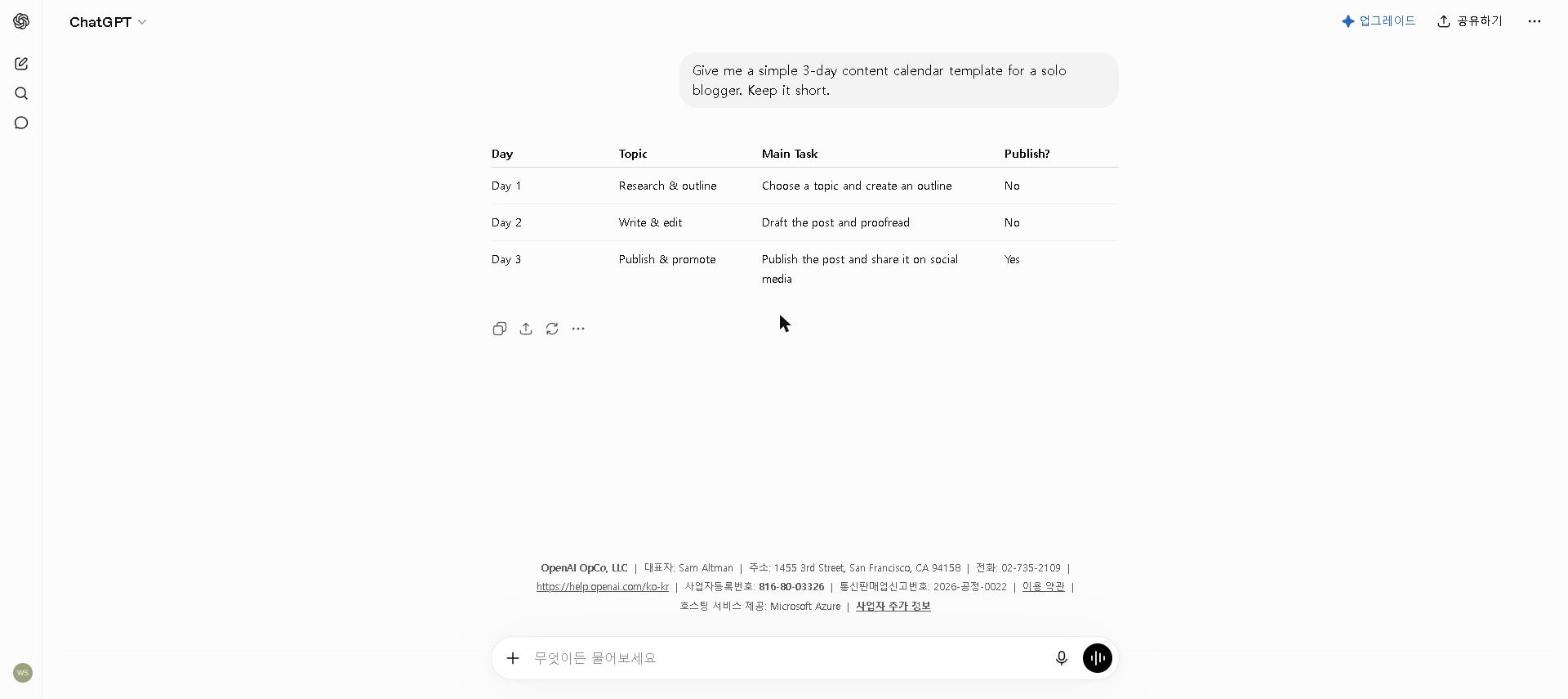
Here’s ChatGPT in action, from my own testing:
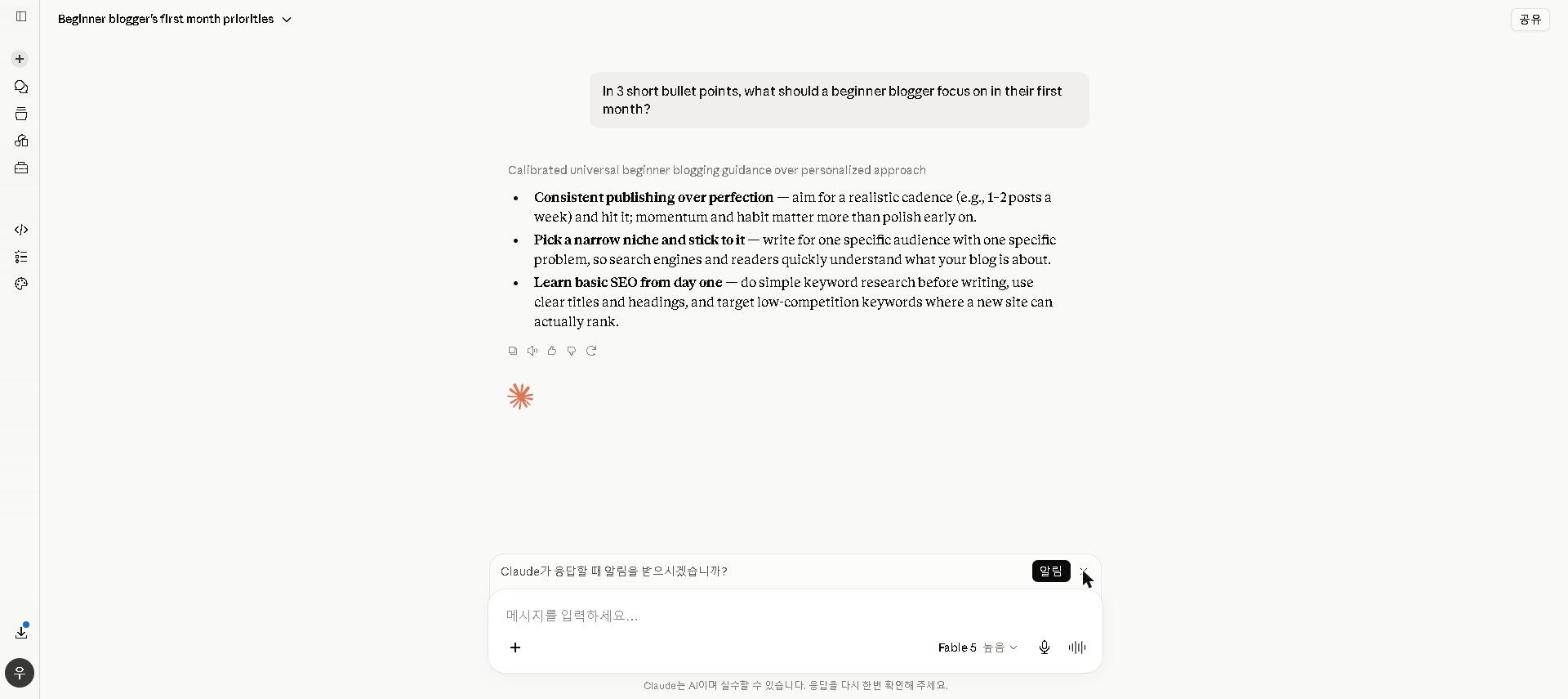
And here’s Claude, tested the same way:
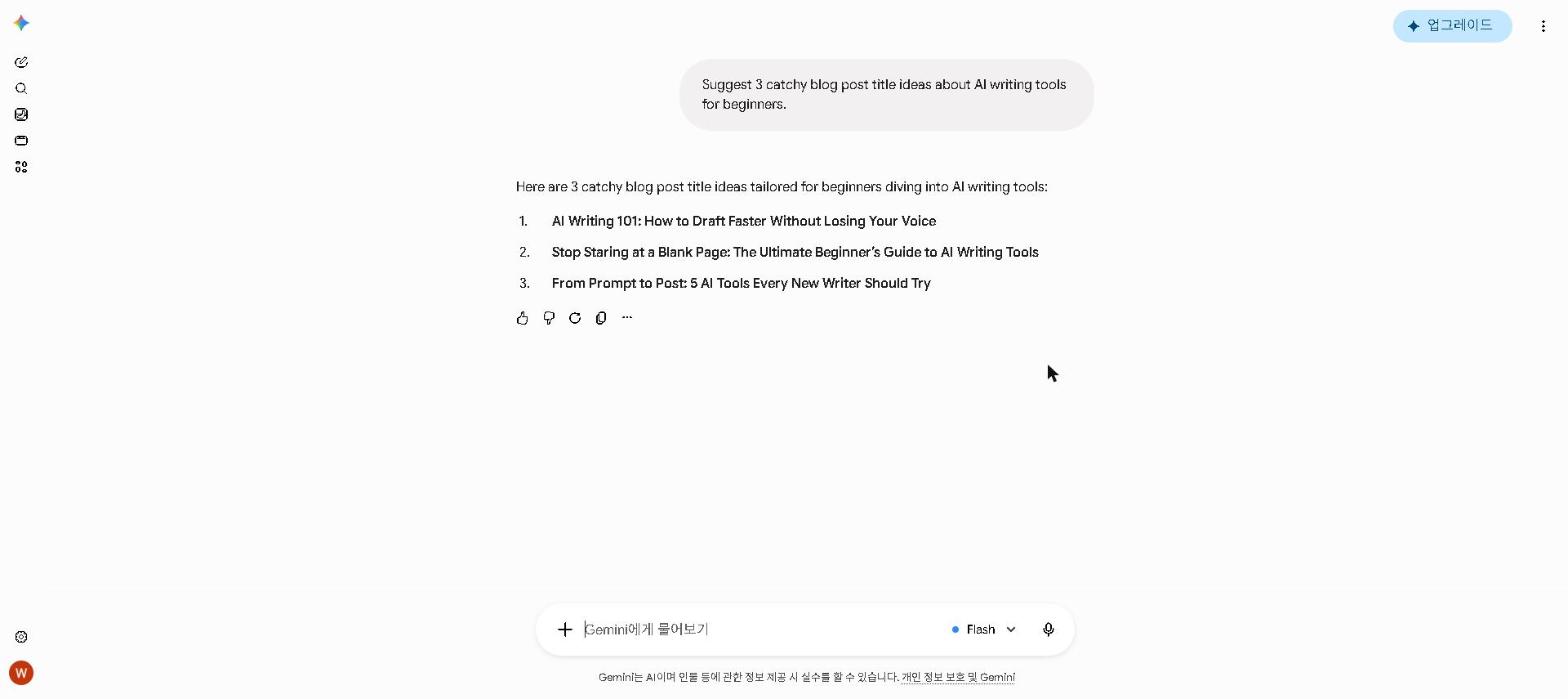
And Gemini, also tested live:
Finding the right AI writing tool can save you hours every week — but with dozens of options out there, it’s hard to know where to start.
Adoption is no longer the interesting question — Stanford HAI’s 2026 AI Index records generative AI reaching 53% of the global population in three years. Which tool suits which job still is.
Where this list comes from: ChatGPT, Claude and Gemini are part of my own daily work. Jasper, Copy.ai and Writesonic I haven’t used myself, so those sections are based on official documentation and verified user reviews, and each one says so. The pattern that holds across all of them is that the biggest help comes in research and outlining rather than in the final prose.
Should You Use AI Writing Tools?
- Do you write blog posts or articles regularly? → Yes, AI will cut your time significantly
- Are you a marketer producing high-volume content? → Yes, Jasper AI is built for you
- Are you a student writing essays? → Yes, Claude is the best free option
- Do you only write occasionally? → The free plans of ChatGPT or Claude are more than enough
- Are you on a tight budget? → Start with ChatGPT or Claude free — both are genuinely capable
Quick Comparison Table
| Tool | Best For | Free Plan | Starting Price |
|---|---|---|---|
| ChatGPT | All-round writing & coding | ✅ Yes | $20/month |
| Claude | Long-form & nuanced writing | ✅ Yes | $20/month |
| Google Gemini | Google Workspace users | ✅ Yes | $19.99/month |
| Jasper AI | Marketing copy | ❌ Trial only | $69/month |
| Copy.ai | Short-form & social media | ❌ No | $29/month |
| Writesonic | Blog writing & SEO | ✅ Trial | $16/month |
1. ChatGPT (OpenAI) — The All-Round Champion
Best for: General writing, brainstorming, and coding
ChatGPT remains the most versatile AI writing tool available in 2026. The free version gives you access to OpenAI’s latest model, while ChatGPT Plus ($20/month) unlocks higher message limits and advanced features like data analysis and file uploads.
Key Features
- Writes essays, emails, blog posts, and more
- Supports over 50 languages
- Strong coding and debugging capabilities
- File upload and data analysis (Plus)
My Take
ChatGPT is the first tool I open for any writing task that needs structure — outlines, section plans and first-pass drafts. The main lesson is that vague prompts produce vague output: the difference between a detailed prompt and a lazy one is bigger than the difference between most tools.
For tips on getting the most out of ChatGPT’s free plan, check out our How to Use ChatGPT for Free in 2026 guide.
Pricing: Free / $20 per month (Plus)
2. Claude (Anthropic) — Best for Long-Form Writing
Best for: Long-form content, analysis, and nuanced writing
Claude has quietly become one of the most impressive AI writing tools available. It handles complex, lengthy documents better than most competitors — and its writing feels more natural and less robotic.
Key Features
- Handles very long documents with a large context window
- Excellent at maintaining tone and style throughout
- Great for research summaries and in-depth reports
- Strong at following nuanced, detailed instructions
My Take
For long-form content, Claude is my first choice. It tends to hold an argument together across a long draft better than the alternatives, which matters most once a piece goes past a thousand words or so. It’s not perfect — it can be overly cautious and occasionally adds unnecessary caveats. For a full breakdown, check out our Claude AI Review 2026.
Pricing: Free / $20 per month (Pro)
3. Google Gemini — Best for Google Workspace Users
Best for: Research, everyday writing, and Google integration
Google Gemini is more than just a chatbot — it’s deeply integrated into Gmail, Google Docs, and Drive, making it a natural fit for anyone already in the Google ecosystem.
Key Features
- Seamless integration with Gmail, Docs, Drive, and Sheets
- Real-time web search built in
- Handles very long documents with ease
- Strong multilingual support
My Take
Gemini’s biggest advantage is where it lives. Being able to highlight a paragraph in Google Docs and ask Gemini to rewrite it without switching tabs is genuinely convenient in the middle of a draft. For standalone writing quality, ChatGPT and Claude are still ahead, but if you live in Google Docs, Gemini earns its place. For a full breakdown, check out our Google Gemini Review 2026.
Pricing: Free / $19.99 per month (Google AI Pro)
4. Jasper AI — Best for Marketing Teams
Best for: Marketing copy and brand-consistent content
Jasper is purpose-built for marketers. It’s not just an AI writer — it learns your brand voice and ensures every piece of content stays consistent, which is invaluable for teams managing multiple campaigns.
Key Features
- Brand voice training from your existing content
- 50+ marketing templates (ads, emails, product descriptions)
- SEO mode with SurferSEO integration
- Team collaboration features
My Take
Jasper is built for teams, not solo bloggers, and the price reflects that. We have not subscribed to Jasper ourselves — this is based on its official documentation and verified user reviews. Reviewers who rate it highly are almost always coordinating multiple writers, and Brand Voice is the feature they credit for keeping output on-tone in a way ad-hoc prompting does not. If you’re a team of one, skip it. If you’re managing a content team, it’s worth the trial. For a full breakdown, check out our Jasper AI Review 2026.
Pricing: From $69 per month (Pro) — the old $39 Creator plan no longer exists
5. Copy.ai — Now an Enterprise GTM Platform (Not for Beginners Anymore)
Best for: Sales and marketing teams needing structured, high-volume copy — not beginners
Update: Copy.ai rebranded in 2024 into a Go-To-Market (GTM) AI platform and was acquired by Fullcast in late 2025. It no longer has a free plan, and its templates/Workflows are now positioned for enterprise sales and marketing teams rather than solo beginners. The description below reflects what Copy.ai used to be — see the pricing note for what’s actually true now.
Key Features
- 90+ copywriting templates
- Workflow automation for repetitive content tasks
- Unlimited words on Pro plan
- No free plan (as of Aug 2026 — $29/month minimum)
My Take
Copy.ai began as a simple, free, beginner-friendly template tool. That’s no longer the product it is today — it’s since rebranded into a GTM AI platform for sales and marketing teams, with no free plan and a $29/month starting price. I can’t recommend it as a first tool for beginners anymore; ChatGPT or Claude’s free tiers are the better starting point now. For the full, updated picture, check out our Copy.ai Review 2026.
Pricing: $29 per month (Chat plan) — no free plan as of Aug 2026
6. Writesonic — Best for Bloggers
Best for: Blog writing and SEO-optimized content
Writesonic is built with bloggers in mind. Its AI Article Writer can generate full blog posts with SEO optimization baked in, making it one of the most efficient tools for content creators who publish regularly.
Key Features
- AI Article Writer with built-in SEO optimization
- Built-in SEO checker
- Integrates with SurferSEO
- Multiple AI model options
My Take
We have not used Writesonic ourselves; this is based on its official documentation and verified user reviews. Reviewers single out heading structure and keyword placement in SEO drafts as its strength, and just as consistently describe the prose on more nuanced topics as mechanical next to a general-purpose assistant. For high-volume blog production where SEO structure matters more than prose quality, it’s a strong choice.
Pricing: Free trial / From $16 per month
Best AI Writing Tools for Specific Use Cases
- Best AI writing tool for SEO blogs: Writesonic
- Best AI writing tool for students: Claude
- Best free AI writing tool: ChatGPT or Google Gemini
- Best AI tool for email writing: Google Gemini
- Best AI tool for social media: Copy.ai
- Best AI tool for marketing teams: Jasper AI
- Best AI tool for long reports: Claude
- Best AI tool for coding + writing: ChatGPT
Are AI Writing Tools Worth It in 2026?
Short answer: yes — but with some caveats.
The benefits are real. AI writing tools genuinely save time. Tasks that used to take an hour can now be done in minutes, and the quality has improved dramatically over the past year.
The quality has improved. A year ago, AI-generated content often felt robotic and repetitive. In 2026, the best tools produce writing that’s surprisingly natural — especially Claude and ChatGPT, which can maintain tone and context across long documents.
But they’re not perfect. AI tools still make factual errors, miss nuance, and occasionally produce generic-sounding content. The best results come when you treat them as a writing assistant rather than a replacement — use them to draft, then edit with your own voice. The editing step is not optional.
The bottom line: If you’re creating content regularly, the time savings alone make AI writing tools worth the investment. Start with the free plans of ChatGPT and Claude — test them across your next three writing projects, and upgrade only when you’ve identified a specific gap that free tools can’t fill.
Who This Is NOT For
Skip paid AI writing tools if you:
- Write fewer than 5 pieces of content per month — free plans cover this easily
- Are a student who only needs occasional writing help — ChatGPT and Claude free plans are sufficient
- Need image generation as part of your writing workflow — use ChatGPT Plus which includes DALL-E 3
- Work in a highly regulated industry where AI-assisted content requires legal review
Final Thoughts
The best AI writing tool depends entirely on your use case — there’s no single winner for everyone. My own stack is Claude for long-form and ChatGPT for structure and planning, with Gemini as the third tool I use every day. That combination covers everything I need without paying for tools I don’t use.
Start with the free plans of ChatGPT and Claude — test them across your next three writing projects, and upgrade only when you’ve identified a specific gap that free tools can’t fill.
Have you tried any of these tools? Share your experience in the comments — I’d genuinely like to hear what’s working for other writers.
Last updated: September 2026
Written by Ian Sung — IT professional working in automation, scripting and workflow tooling. ChatGPT, Claude and Google Gemini are part of my daily work; every other tool covered here is assessed from a free-plan check, official documentation and verified user reviews, and each review says which applies.
Pingback: Best AI Tools for Students on a Budget (2026 Guide) | AI Tool Spot
Pingback: Jasper AI Review 2026: Is It Worth It? (Honest Review) | AI Tool Spot
Pingback: How to Use AI to Write Better Emails in 2026 | AI Tool Spot
Pingback: Perplexity AI Review 2026: Is It Worth It? | AI Tool Spot
Pingback: Grammarly Review 2026: Is It Worth It? | AI Tool Spot
Pingback: Copy.ai Review 2026: Is It Worth It? (Honest Review) | AI Tool Spot
Pingback: Is ChatGPT Plus Worth It in 2026? (Free vs Paid Honest Review) | AI Tool Spot
Pingback: Canva AI Review 2026: Is It Worth It? | AI Tool Spot