TL;DR: The best AI tools for content creators in 2026 can cut your content production time significantly — and most of them are free or affordable. Claude handles long-form writing, Canva AI covers visuals, ChatGPT manages social media and planning, and Descript handles video and podcast editing. Together, they cover the full content creation workflow.
Most content creators waste hours every week switching between tools, rewriting mediocre drafts, and manually creating visuals that still don’t look professional. This is where most of the time is lost — not in the writing itself, but in the surrounding friction.
The right AI workflow removes that friction completely.
👉 Start building your AI content workflow:
- Try Claude (free) for writing
- Use ChatGPT for planning & social content
- Create visuals with Canva AI
The best AI tools for content creators in 2026 have fundamentally changed what’s possible for solo creators and small teams. Tasks that previously required a designer, a copywriter, and a social media manager can now be handled by a single creator with the right AI toolkit.
Where this list comes from: Claude and ChatGPT are part of my daily work, and Canva AI and Perplexity AI I’ve checked on their free plans. Descript and Jasper AI are covered from their official documentation and verified user reviews. Each section says which applies.
According to McKinsey’s research on generative AI, marketing and sales is one of the highest-value areas for AI productivity gains — with content creation, social media management, and campaign ideation among the most impactful specific applications.
If you only care about the short answer: Claude for writing, Canva AI for visuals, ChatGPT for social media and planning, and Descript for video/podcast editing. Most of it is free.
Should You Use AI Tools for Content Creation?
- Do you publish blog posts, articles, or long-form content regularly? → Yes, Claude will cut your writing time significantly
- Do you create social media content across multiple platforms? → Yes, ChatGPT handles multi-platform content efficiently
- Do you design graphics without professional design skills? → Yes, Canva AI makes professional visuals accessible
- Do you spend significant time on research before writing? → Yes, Perplexity AI eliminates most of that time
- Do you only create content occasionally? → Free plans of ChatGPT and Canva AI cover light use easily
Quick Comparison Table
| Tool | Best For | Free Plan | Starting Price |
|---|---|---|---|
| Claude | Long-form writing & blog posts | ✅ Yes | $20/month |
| Canva AI | Visual content & graphics | ✅ Yes | $18/mo ($15 annual) |
| ChatGPT | Social media & content planning | ✅ Yes | $20/month |
| Descript | Video/podcast editing | ✅ Yes (60 min/mo) | $24/mo ($16 annual) |
| Perplexity AI | Research & fact-checking | ✅ Yes | $20/month |
| Jasper AI | Brand-consistent marketing copy | ❌ No | $69/month |
Bottom line: The free plans of Claude, Canva AI, ChatGPT, Descript, and Perplexity AI together cover the full content creation workflow — at no cost.
Best AI Tools for Content Creators: Key Differences at a Glance
- Best for blog writing: Claude
- Best for social media content: ChatGPT
- Best for visual content: Canva AI
- Best for research: Perplexity AI
- Best for video/podcast editing: Descript
- Best for marketing teams: Jasper AI
- Best free content creation toolkit: Claude + Canva AI + ChatGPT
1. Claude — Best for Long-Form Writing and Blog Posts
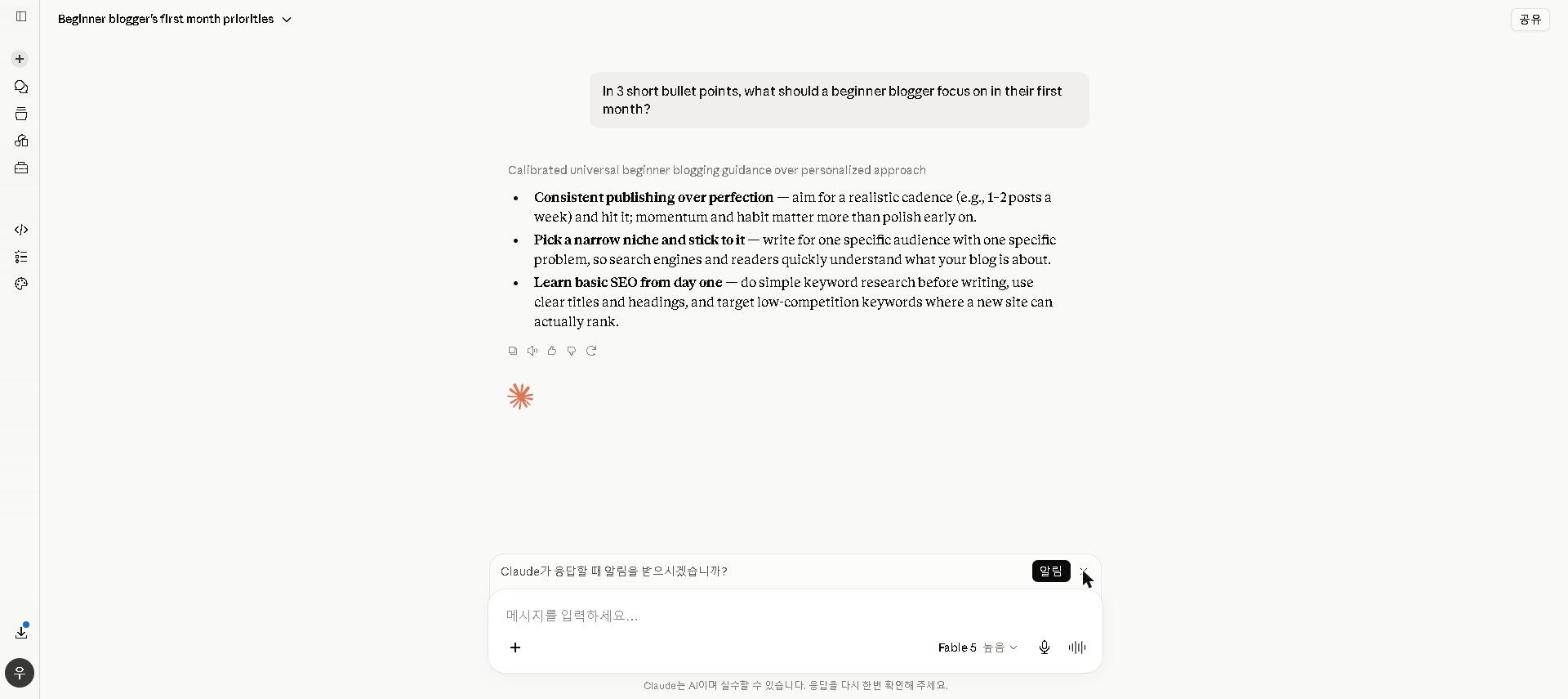
Why it’s essential for content creators: Claude produces the highest quality long-form writing of any AI tool available — consistently, across every content type. For bloggers and content writers, the quality difference from competing tools translates directly into less editing time and better reader engagement.
Best for: Blog posts, articles, newsletters, and any long-form written content
Claude is the AI writing tool I reach for first for any content over 500 words. Its ability to maintain consistent tone, argument structure, and voice across a long piece is noticeably better than competing tools — and the output requires significantly less editing before it’s publishable.
For a full breakdown of Claude’s capabilities, check out our Claude AI Review 2026. For a comparison with ChatGPT for writing tasks, see our ChatGPT vs Claude 2026 guide.
Key Features
- Produces natural, high-quality long-form content consistently
- Maintains tone and voice across entire articles
- Handles detailed content briefs with multiple requirements
- Large context window for long-form projects
- Strong at SEO-optimized article structures
Our Take
Given a detailed brief — tone, audience, SEO considerations — Claude’s first drafts need noticeably less editing than ChatGPT’s on long pieces, because it holds the structure and voice across the whole article. For content creators publishing several pieces a week, that difference compounds.
Pricing: Free / $20 per month (Pro)
2. Canva AI — Best for Visual Content and Graphics
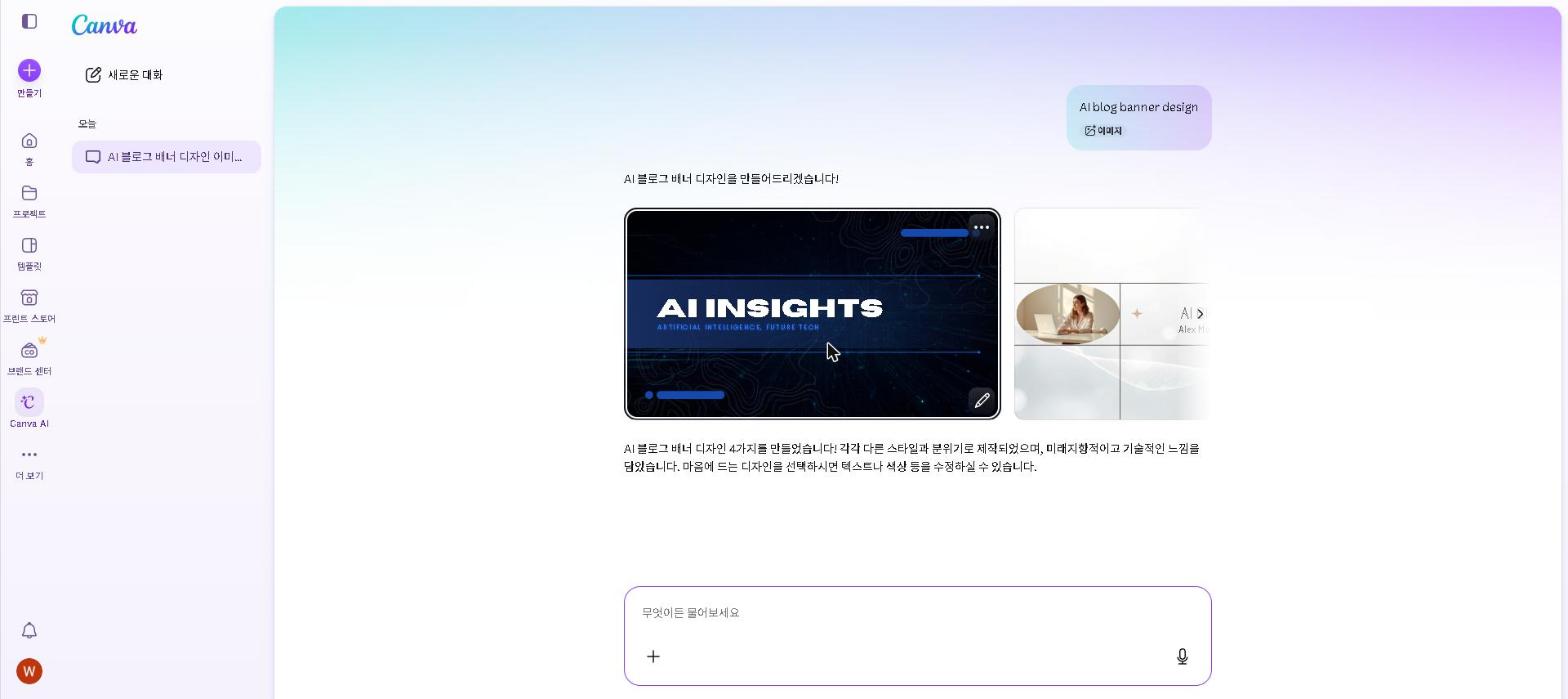
Why it’s essential for content creators: Professional-quality visuals are essential for content performance — and Canva AI makes them accessible to creators without design skills or design budgets.
Best for: Blog featured images, social media graphics, presentations, and marketing materials
Canva AI combines the world’s most popular design platform with AI-powered image generation, layout suggestions, and content creation. For content creators who need to produce visual assets regularly, it’s the most practical and accessible tool available.
For a full breakdown of Canva AI’s features and pricing, check out our Canva AI Review 2026.
Key Features
- AI image generation (Magic Media)
- Magic Edit for modifying existing images with text prompts
- Background remover for product and profile photos
- 250,000+ templates for every content format
- Brand Kit for consistent visual identity across all content
Our Take
We’ve only checked Canva AI on a free plan, so this leans on Canva’s documentation and verified user reviews. The case for creators is replacing the stock-photo search with generation inside the design tool: generate an image, add a text overlay and export, all in one place — and the result is unique rather than recognisable from other sites. For creators publishing daily, that removes a real step from every post.
Pricing: Free / $18 per month ($15 on annual billing)
3. ChatGPT — Best for Social Media and Content Planning
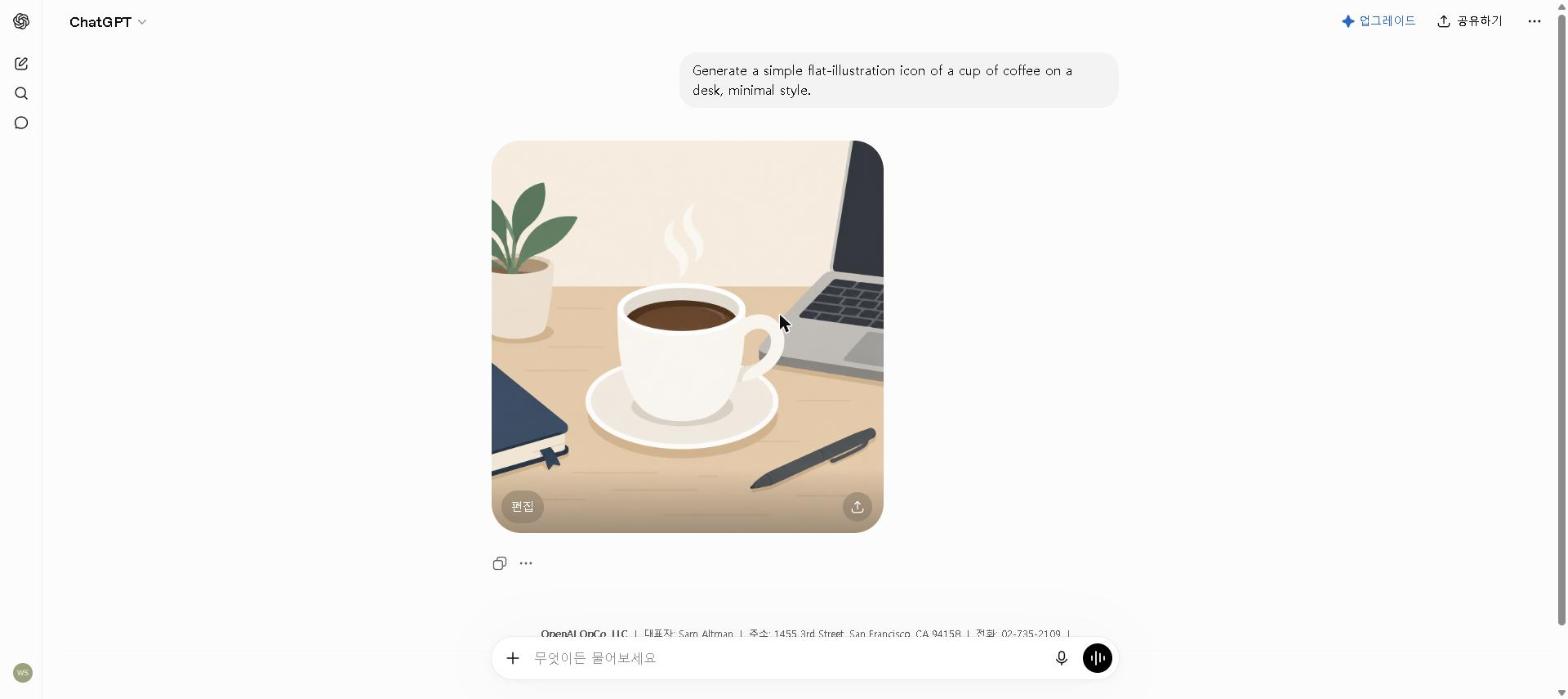
Why it’s essential for content creators: Content creation isn’t just writing long articles — it’s also managing social media, planning content calendars, repurposing existing content, and generating ideas. ChatGPT handles all of these faster than any other tool.
Best for: Social media content, content calendars, repurposing, and ideation
ChatGPT is the most versatile tool in the content creator toolkit. Beyond long-form writing, it excels at the surrounding workflow — planning, repurposing, and social distribution — that accounts for a significant portion of most creators’ time.
For tips on getting the most from ChatGPT’s free plan, check out our How to Use ChatGPT for Free in 2026 guide. For a detailed look at using AI for social media specifically, see our How to Use AI for Social Media in 2026 guide.
Key Features
- Generates social media captions for any platform
- Creates content calendars from a topic list
- Repurposes long-form content into multiple formats
- Generates content ideas and angles on any topic
- Available free with generous daily limits
Our Take
Repurposing is where ChatGPT earns its place: give it a finished blog post and ask for Instagram captions, LinkedIn posts, tweet variations and a newsletter summary in one go. What would take hours to write by hand becomes a short editing session. For creators who publish across multiple platforms, systematic repurposing is one of the highest-leverage uses of AI available.
Pricing: Free / $20 per month (Plus)
4. Descript — Best for Editing Video and Podcast Content by Editing Text
Why it’s essential for content creators: Video and podcast editing is where most creators lose the most time — and Descript’s core idea, editing audio/video by editing a transcript, removes the most tedious part of that process entirely.
Best for: Podcast and video editing, removing filler words, and repurposing long recordings into clips
Descript transcribes your recording automatically, then lets you cut, rearrange, and clean up the audio or video by editing the text transcript directly — deleting a sentence in the transcript deletes it from the recording. For creators producing video or audio content regularly, this changes editing from a timeline-scrubbing task into something closer to word processing.
Key Features
- Edits audio and video by editing the transcript text
- Automatic filler-word removal (“um,” “uh,” dead air)
- Studio Sound for cleaning up rough recording audio
- Overdub for fixing flubbed lines without re-recording
- Free plan includes about 60 minutes of transcription per month
Our Take
An honest note: Descript replaced Grammarly’s slot in this list specifically for creators working in video and audio, and we haven’t run our own podcast or video project through it — this is based on Descript’s official feature set and what reviewers consistently report. The core workflow — editing a recording by deleting or rearranging its transcript text, rather than scrubbing a timeline — is the feature reviewers most often cite as the biggest time-saver for creators whose format includes spoken audio or video, especially combined with the automatic filler-word removal pass.
Pricing: Free / From $24 per month ($16 on annual billing)
5. Perplexity AI — Best for Research and Fact-Checking
Why it’s essential for content creators: Content that contains factual errors loses reader trust — and Perplexity AI is the fastest way to research accurately with citations before writing.
Best for: Pre-writing research, fact-checking, and finding current statistics
Perplexity AI searches the web in real time and provides cited sources for every answer — making it the most reliable research tool for content creators who need accurate, current information quickly.
For a full breakdown of Perplexity AI’s features, check out our Perplexity AI Review 2026.
Key Features
- Real-time web search with cited sources
- Synthesizes multiple sources into a single answer
- Academic mode for peer-reviewed research
- Follow-up questions for deeper topic exploration
- Generous free plan
Our Take
We’ve only checked Perplexity on its free plan, so this leans on that check plus verified user reviews. The workflow reviewers recommend for fact-heavy content is to start with a Perplexity search instead of a dozen browser tabs: you get current statistics with sources attached, which you can then verify before they go into your piece. For creators whose authority depends on accuracy, that’s the value.
Pricing: Free / $20 per month (Pro)
6. Jasper AI — Best for Marketing Teams and Brand Content
Why it’s worth considering: For content teams that need brand-consistent, high-volume marketing copy, Jasper’s Brand Voice training and template library go beyond what general-purpose tools offer.
Best for: Marketing copy, brand-consistent content, and team content production
Jasper AI is purpose-built for marketing teams. Its Brand Voice feature learns your specific tone and style from existing content — ensuring every piece produced sounds like your brand rather than a generic AI output.
For a detailed comparison of Jasper against free alternatives, check out our Jasper AI Review 2026.
Key Features
- Brand Voice training from existing content
- 50+ marketing templates for ads, emails, and social media
- Team collaboration features
- SEO mode with SurferSEO integration
- Consistent output across multiple team members
Our Take
For solo content creators, Jasper’s price premium over free tools is hard to justify — Claude and ChatGPT produce comparable or better output at no cost. But for marketing teams producing high-volume, brand-consistent content across multiple writers, Jasper’s Brand Voice training and collaboration features deliver value that free tools can’t match.
Pricing: From $69 per month (Pro) — the old $39 Creator plan no longer exists
Building Your Free Content Creator AI Toolkit
The most impressive thing about AI tools for content creators in 2026 is that the free plans cover most needs:
Free Content Creator AI Toolkit:
- Claude (free) — long-form blog posts and articles
- Canva AI (free) — featured images and social graphics
- ChatGPT (free) — social media content and repurposing
- Descript (free) — video and podcast editing
- Perplexity AI (free) — research and fact-checking
Together, this free stack covers the complete content creation workflow — from research to writing to visuals to distribution. Most solo content creators never need to pay for any of these tools.
The Most Effective Content Creation Workflow in 2026
Here’s a workflow that puts each tool where it’s strongest:
Step 1 — Research (Perplexity AI, 10 minutes)
Research the topic, find current statistics, identify key angles and sources.
Step 2 — Outline (ChatGPT, 5 minutes)
Generate a detailed outline with H2/H3 structure, key points per section, and SEO considerations.
Step 3 — Draft (Claude, 20–30 minutes)
Write the full draft using the outline and research notes as context.
Step 4 — Visuals (Canva AI, 10–15 minutes)
Generate featured image, social media graphics, and any supporting visuals.
Step 5 — Edit (10 minutes)
Final proofread pass for errors, tone, and clarity before publishing — for video or podcast episodes, this is also where Descript’s transcript-based editing and filler-word removal happen.
Step 6 — Repurpose (ChatGPT, 15 minutes)
Turn the published piece into social media content, email newsletter, and platform-specific variations.
Who This Is NOT For
Skip paid AI content creation tools if you:
- Create content only occasionally — free plans cover low-volume needs completely
- Work in a highly regulated industry where AI-assisted content requires legal review — verify your organization’s policy first
- Prefer a fully manual creative process — AI tools work best when you want to scale output, not replace creative judgment
- Are just starting out as a creator — develop your authentic voice first, then use AI to scale it
Best AI Tools for Content Creators by Content Type
- Best for blog posts and articles: Claude
- Best for social media content: ChatGPT
- Best for video scripts: Claude or ChatGPT
- Best for email newsletters: Claude + Canva AI
- Best for visual content: Canva AI
- Best for SEO content: Perplexity AI (research) + Claude (writing)
- Best for marketing copy: Jasper AI (teams) or Claude (individuals)
- Best free content creator toolkit: Claude + Canva AI + ChatGPT
Are AI Tools Worth It for Content Creators in 2026?
For anyone creating content regularly, the answer is an unambiguous yes.
The time savings are substantial. Research, first drafts, visuals and repurposing are the slowest parts of content production, and they are exactly where these tools help most. For solo creators, that time goes back into strategy, audience building and the creative work that actually requires human judgment.
The quality can improve too. Used well, AI makes content more structured, better researched and more thoroughly edited. The key is using it to accelerate the process while keeping your own voice and creative direction.
The free plans cover most needs. Claude, Canva AI, ChatGPT, Descript, and Perplexity AI all offer genuinely capable free plans. Most solo content creators can build a complete AI workflow without spending anything.
Frequently Asked Questions
Will AI-generated content hurt my SEO?
Google’s official position is that it evaluates content quality, not whether AI was involved in creating it. High-quality, helpful content performs well regardless of how it was created. The risk is low-quality, generic AI content — not AI-assisted content that’s been properly edited and personalized.
Can AI replace a content writer?
AI tools can dramatically accelerate content production, but they work best as tools in a skilled writer’s workflow rather than standalone replacements. The best results come from combining AI efficiency with human creativity, expertise, and voice.
Which AI tool should I start with as a content creator?
Start with Claude’s free plan for writing and ChatGPT’s free plan for social media and planning. Add Canva AI for visuals, and Descript if you produce video or podcast content. This free combination covers the complete content creation workflow immediately.
Final Thoughts
The best AI tools for content creators in 2026 have leveled the playing field — allowing solo creators to produce the content volume and quality that previously required a full team.
Start with the free toolkit: Claude for writing, Canva AI for visuals, ChatGPT for social media, Descript for video/podcast editing, and Perplexity AI for research. Build the workflow, measure the time savings, and upgrade only when you’ve identified a specific gap that free tools can’t fill.
Which AI tool has made the biggest difference in your content creation workflow? Share your experience in the comments below!
Last updated: September 2026
Written by Ian Sung — IT professional working in automation, scripting and workflow tooling. ChatGPT, Claude and Google Gemini are part of my daily work; every other tool covered here is assessed from a free-plan check, official documentation and verified user reviews, and each review says which applies.