The best AI tools for remote workers in 2026 solve a specific set of problems: communication that’s harder to calibrate without facial expressions and tone of voice, meetings that consume the day without leaving time for focused work, and information scattered across email threads, chat messages and documents nobody can find when they need them.
Where this list comes from: ChatGPT is the tool here I use every day. Grammarly I’ve checked on its free plan; Loom AI, Slack AI and Reclaim AI are covered from their official documentation and verified user reviews. Each section says which applies.
Microsoft’s Work Trend Index has tracked communication overhead — meetings, chat, and after-hours catch-up — as one of the defining frictions of hybrid work, and that is exactly where the tools below earn their place.
If you only care about the short answer: ChatGPT for communication and writing, Slack AI for catching up across time zones, and Grammarly for professional polish. Most of it is free.
Should You Use AI Tools for Remote Work?
- Do you spend significant time on written communication — emails, Slack messages, updates? → Yes, ChatGPT and Grammarly will save you hours
- Does your remote team struggle to stay aligned across time zones? → Yes, Slack AI and Loom AI solve this
- Is managing your own schedule without office structure a challenge? → Yes, Reclaim AI will help significantly
- Do you only work remotely occasionally? → Start with ChatGPT free — it covers most needs
Quick Comparison Table
Bottom line: The free plans of ChatGPT, Grammarly and Reclaim AI together address every major remote work challenge at no cost.
The Tools, and What Each One Solves
1. ChatGPT — For Written Communication That Takes Too Long
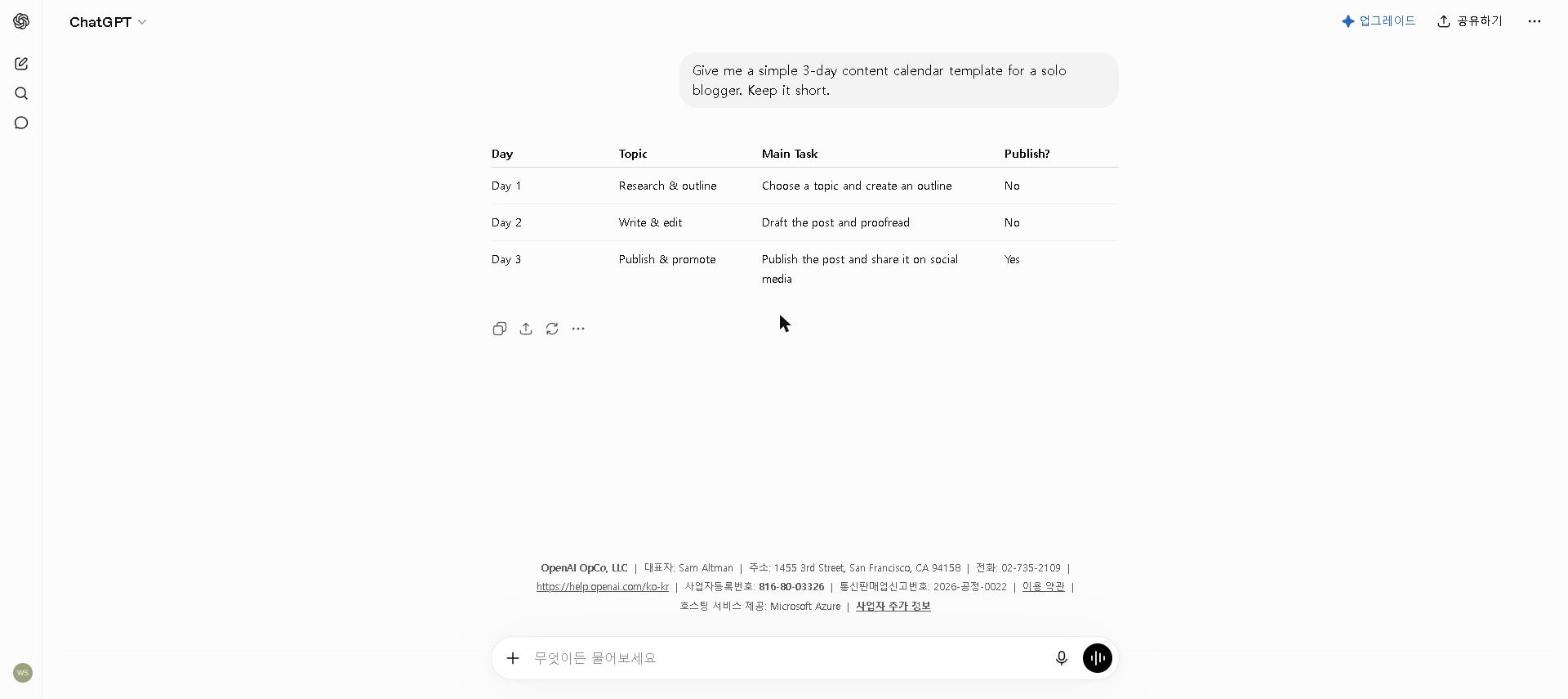
The problem: Remote work runs almost entirely on written communication — and the volume of written communication that needs to be clear, professional, and appropriately toned is significantly higher than in an office environment where you can just walk over and have a conversation.
What I actually use it for: Project updates for stakeholders who need the right level of detail without too much, status summaries that translate technical progress into business language, and any written communication where the stakes are high enough that I want a strong draft before editing.
Where it helps most: not only long documents, but the short messages written quickly without much thought — those are the ones most likely to carry a tone problem you don’t catch until after sending.
For tips on getting the most from the free plan, see our How to Use ChatGPT for Free in 2026 guide.
Pricing: Free / $20 per month (Plus)
2. Loom AI — For Replacing Meetings That Should Have Been Async
The problem: Some things are faster to show than to write — but recording a video and then leaving the recipient to find the relevant section was almost as inefficient as scheduling a call.
What it’s designed to do: Loom AI’s automatic transcription, chapter generation, and AI summary mean that async video messages are now almost as easy to reference as written documents. The recipient gets a summary of what the video covers before watching, and can skip to specific sections without watching the whole thing.
Where reviewers say it fits: complex process walkthroughs that are easier to show than explain, feedback on deliverables where seeing the screen saves a long back-and-forth, and updates for teammates in other time zones. We haven’t used Loom AI ourselves; this section is based on Loom’s documentation and verified user reviews.
Pricing: Free (limited) / $18 per seat per month (Business)
3. Slack AI — For Catching Up on Threads I Missed Overnight
An honest note: Slack AI replaced Notion AI’s slot in this list to better fit distributed teams specifically — we haven’t used it day-to-day the way we have the other tools here, so this is based on Slack’s official documentation rather than personal use.
What it’s designed to solve: Teams spanning multiple time zones commonly deal with dozens of unread messages across channels each morning, with no easy way to tell what needs attention versus what’s already resolved. Slack AI’s channel recaps and thread summaries are built to answer “what happened while I was offline” directly, and its search is designed to answer questions rather than just return keyword matches.
What to know before upgrading: Slack AI isn’t a separate free add-on anymore — basic AI summaries come with the Pro plan, and full search plus recap features require Business+. If your team is already paying for Slack Pro or above, it’s effectively already available; if you’re on the free Slack plan, you’d need to upgrade the whole workspace to get it.
Pricing: No standalone free tier — basic AI recaps included from Slack Pro ($7.25/user/month), full AI features require Business+ ($15/user/month)
4. Grammarly — For Communication Where Tone Matters More Than You Think
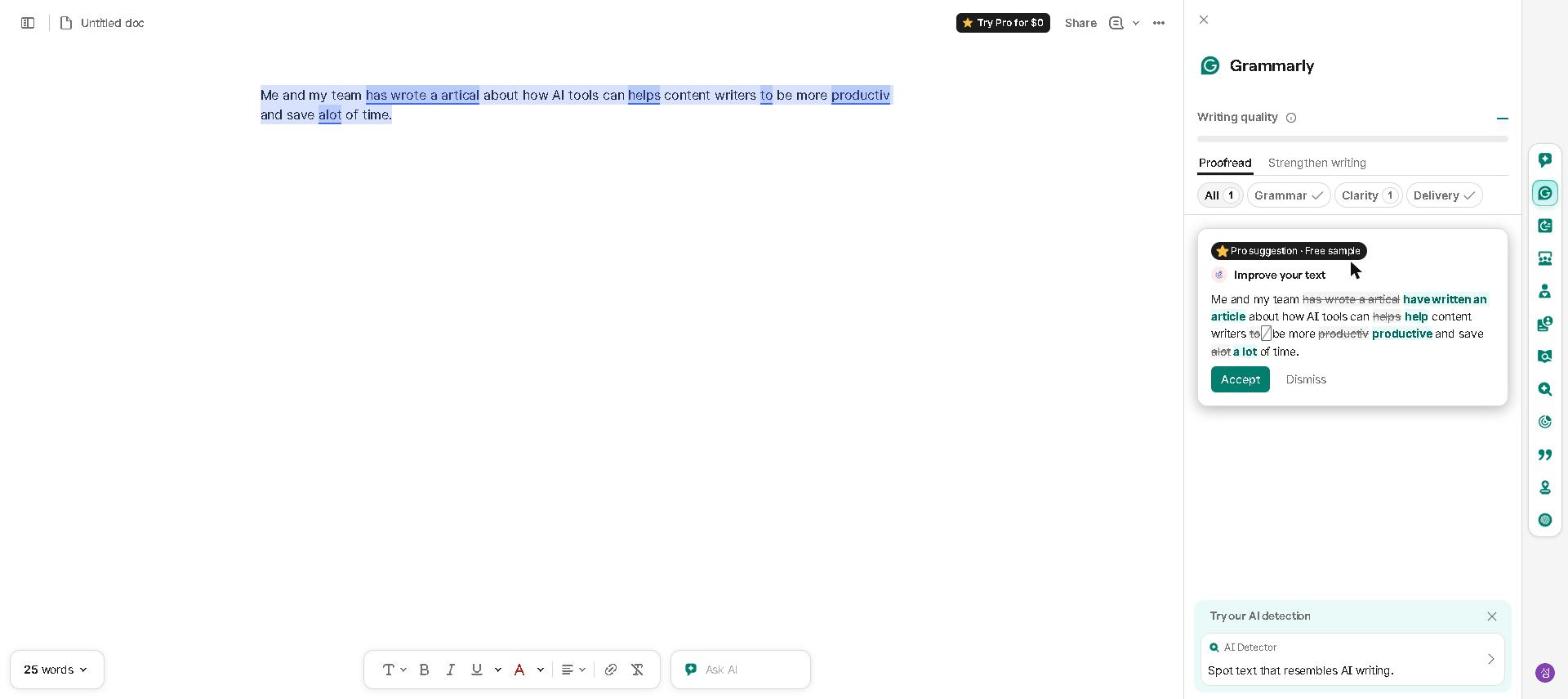
The problem: Text-only communication strips out the tone signals that prevent misunderstanding — and in a remote environment, misread tone can damage relationships that are already harder to repair without in-person interaction.
What it does: Grammarly runs in the background across most platforms you write in, so there’s a tone check before anything goes out. The feature reviewers rely on most isn’t grammar checking — it’s the tone indicator, which flags when a message reads differently than intended. We’ve checked it on the free plan rather than used it daily, so this leans on Grammarly’s documentation and verified user reviews.
For a full breakdown of Grammarly’s features, see our Grammarly Review 2026.
Pricing: Free / $30 per month ($12 on annual billing) — the plan is now called Pro
5. Reclaim AI — For Taking Back Control of Your Calendar
The problem: Remote work means anyone with access to your calendar can book any open slot. Without the natural structure of an office day, the calendar ends up controlled by whoever schedules fastest — and focused work time disappears.
What it’s designed to do: Reclaim AI automatically creates focus blocks around your meetings and treats tasks as calendar commitments that block scheduling. We haven’t used it ourselves; this is based on Reclaim’s documentation and verified user reviews, which most often credit it with making protected focus time actually happen.
One practical limitation worth knowing: Reclaim AI works with Google Calendar. If your organization uses a different calendar system, check compatibility before building it into your workflow.
Pricing: Free / $12 per month ($10 on annual billing)
What Didn’t Work
Too many communication tools. Running a drafting tool, a checking tool and a separate AI email tool for one narrow type of client message is the usual over-adoption trap — the overhead of deciding which tool handles which task creates more friction than it saves. Two layers is the practical ceiling: something to draft in, something to check with. We use ChatGPT for the drafting half.
Relying on AI recaps for high-stakes threads. Summaries are built for catching up on volume. For a genuine disagreement, or anything where the details matter, reviewers consistently warn that a recap can drop the nuance that decides it — read the full thread.
Building Your Free Remote Work AI Toolkit
If you’re starting today, use this exact setup:
- ChatGPT (free) → daily communication and writing
- Grammarly (free) → tone checking and professional polish
This combination addresses the three biggest remote work challenges — written communication quality, meeting admin, and tone calibration — at no cost.
Add Slack AI and Reclaim AI as your workflow complexity grows.
Best AI Tools for Remote Workers by Use Case
- Best for written communication: ChatGPT + Grammarly
- Best for async video: Loom AI
- Best for catching up across time zones: Slack AI
- Best for scheduling: Reclaim AI
- Best free remote work toolkit: ChatGPT + Grammarly + Reclaim AI
Who This Is NOT For
Skip this toolkit if you:
- Work remotely only occasionally — free plans of ChatGPT and Grammarly cover light use easily
- Work at a company with strict policies around external AI tools — verify your organization’s guidelines first
- Have only 1–2 meetings per week — manual note-taking is sufficient at that volume
- Prefer fully manual processes and aren’t comfortable with AI tools yet
Frequently Asked Questions
Which AI tool saves remote workers the most time?
For most remote workers it is ChatGPT, simply because written communication is where the hours go — drafting, rewriting and shortening messages across the day.
Can I build a complete remote work AI toolkit for free?
Yes — the free plans of ChatGPT, Grammarly and Reclaim AI together address the most common remote work challenges without payment required.
Is Slack AI worth it for remote teams?
If your team already communicates primarily in Slack and is on Pro or above, yes — the recap and search features solve a real problem for distributed teams. If you’re not already paying for Slack Pro, the upgrade only makes sense once catching up across time zones has become a genuine daily time cost, not an occasional annoyance.
Final Thoughts
The AI tools worth adopting for remote work aren’t the ones with the most features — they’re the ones that address the specific friction remote work creates: communication that’s harder to calibrate, meetings that consume the day, and information that’s permanently scattered.
Start with ChatGPT for your next difficult email. That one change will show you more about what AI tools can do for remote work than any review will.
What’s been the biggest challenge in your remote work setup? Share in the comments — I’m especially curious whether other remote workers have found tools that addressed problems I haven’t run into yet.
Last updated: September 2026
Written by Ian Sung — IT professional working in automation, scripting and workflow tooling. ChatGPT, Claude and Google Gemini are part of my daily work; every other tool covered here is assessed from a free-plan check, official documentation and verified user reviews, and each review says which applies.
Pingback: Otter.ai Review 2026: Is It Worth It? (Honest Review) | AI Tool Spot