The best AI tools for small businesses in 2026 change what a solo operator or small team can realistically handle — mostly by taking over the mundane administrative work, not through the flashiest features.
Where this list comes from: ChatGPT and Claude are part of my daily work. Canva AI and Grammarly I’ve checked on their free plans, and Tidio is covered from its official documentation and verified user reviews. I’m an IT professional rather than a small business owner, so this is a guide to what each tool is good at, not a case study.
The biggest time savings tend to come from mundane work that takes a disproportionate share of a small business owner’s week — drafting the same types of emails over and over, searching for information that should take 30 seconds to find, and creating marketing visuals from scratch every time.
The tools on this list are chosen for those specific problems.
If you only care about the short answer: start with ChatGPT for communication and content, Canva AI for marketing visuals, and Grammarly for client-facing polish. All three have strong free plans.
Should You Use AI Tools for Your Small Business?
- Do you spend hours writing emails, proposals, or marketing content? → Yes, ChatGPT and Claude will cut this time significantly
- Do you create marketing materials without a designer? → Yes, Canva AI makes professional design accessible
- Do you handle customer inquiries that follow repetitive patterns? → Yes, AI can draft responses in seconds
- Are you managing social media alongside running your business? → Yes, ChatGPT handles multi-platform content efficiently
- Is your budget tight? → Free plans of ChatGPT, Canva AI, and Grammarly cover most small business needs
What Are the Best AI Tools for Small Businesses in 2026?
The best AI tools for small businesses in 2026 are ChatGPT, Claude, Canva AI, Grammarly and Tidio. Each one addresses a different operational challenge — from client communication to marketing visuals to customer support. Below, I break down exactly what each tool does best and who it’s for.
Quick Comparison Table
Bottom line: The free plans of ChatGPT, Canva AI, and Grammarly together cover the most common small business AI needs — at no cost.
Best AI Tools for Small Businesses: Key Differences at a Glance
- Best for writing and communication: ChatGPT
- Best for high-quality content: Claude
- Best for marketing visuals: Canva AI
- Best for client-facing polish: Grammarly
- Best for automated customer chat: Tidio
- Best free small business toolkit: ChatGPT + Canva AI + Grammarly
1. ChatGPT — The One Tool That Helps With Almost Everything
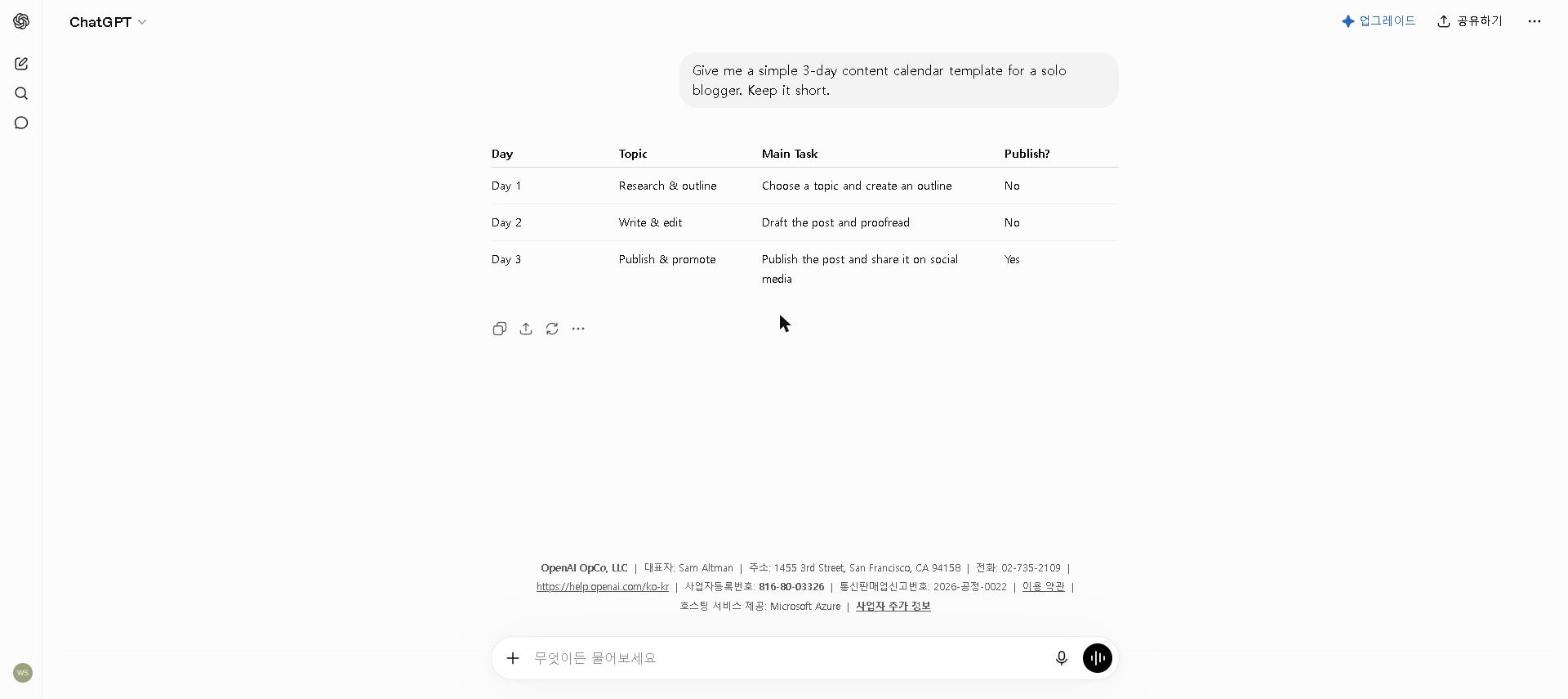
Why it’s essential: Small business owners wear more hats than anyone — and ChatGPT is the one tool that helps with almost all of them, from writing to planning to customer communication.
Best for: Client communication, marketing content, business planning, and everyday writing tasks
ChatGPT is the most versatile AI tool for small businesses in 2026. Whether you’re drafting a client proposal, writing product descriptions, creating social media content, or working through a business challenge, it handles these tasks faster than starting from scratch.
For tips on getting the most from ChatGPT’s free plan, check out our How to Use ChatGPT for Free in 2026 guide.
Key Features
- Drafts emails, proposals, and business documents
- Creates marketing copy for any platform or audience
- Helps with business planning and strategy
- Generates product descriptions and website copy
- Available free with generous daily limits
My Take
Proposal drafting is the clearest example. With a detailed prompt template — the client’s industry, the project scope, your key differentiators — ChatGPT turns what is usually an hour of writing from scratch into a quick edit of a structured first draft. For a business sending several proposals a week, that adds up.
What I’d warn against: using ChatGPT for client-facing communication without reviewing the output. It occasionally misses nuance that matters in relationship-sensitive contexts. Every output needs a human check before it goes out.
Pricing: Free / $20 per month (Plus)
2. Claude — For Writing That Represents Your Business at Its Best
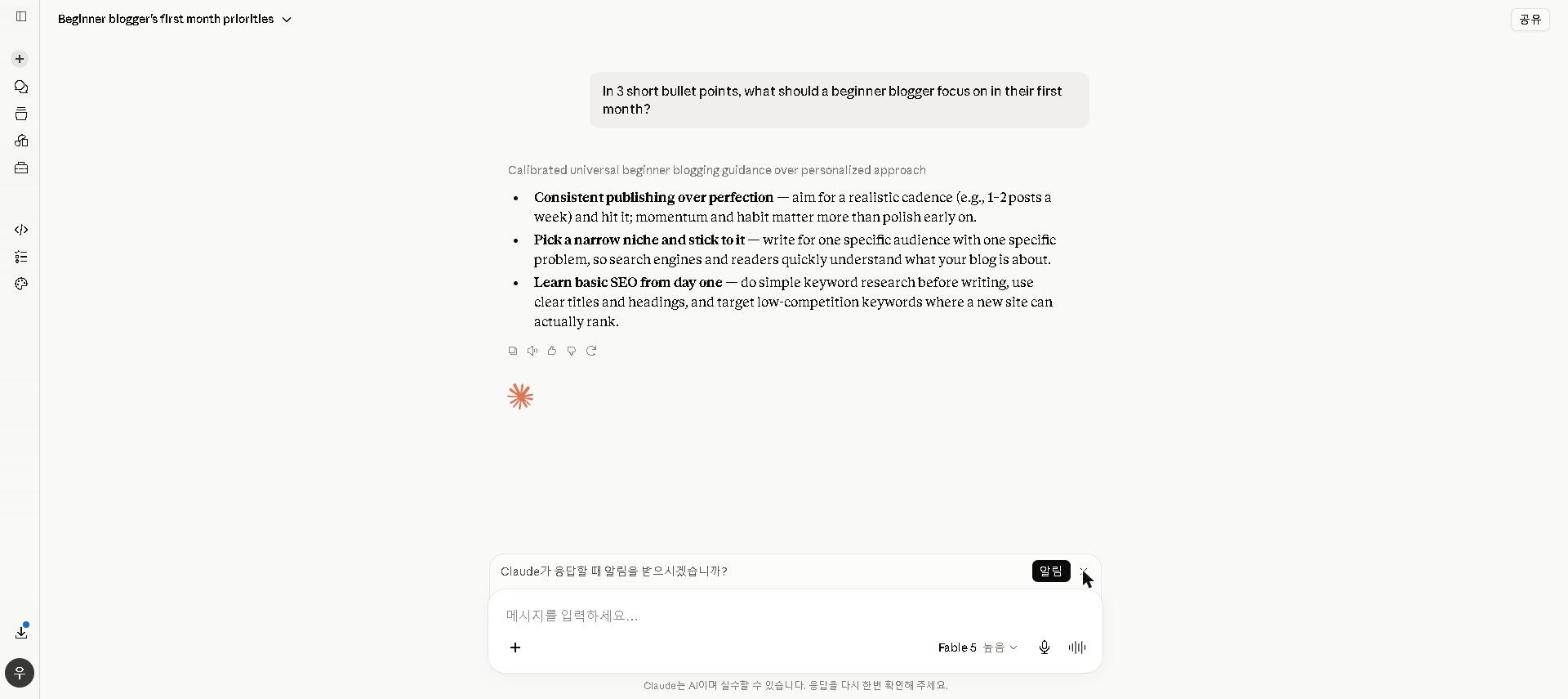
Why it’s essential: When written content represents your business to clients and prospects, quality matters in ways that are hard to quantify but easy to feel. Claude consistently produces more polished output than competing tools for writing tasks that matter.
Best for: High-quality proposals, website copy, reports, and any writing that represents your business
For a full breakdown of Claude’s capabilities, check out our Claude AI Review 2026. For a comparison with ChatGPT, see our ChatGPT vs Claude 2026 guide.
Key Features
- Produces natural, high-quality professional writing
- Excellent at following detailed briefs and style requirements
- Strong at maintaining consistent tone across long documents
- Large context window for complex, multi-section documents
- Available free with a generous daily limit
My Take
I use ChatGPT for speed and Claude for quality, and the distinction is clearer than you might expect: on long, client-facing documents, Claude’s drafts need noticeably less editing before they’re ready to send. For a business sending multiple proposals a week, that adds up.
The specific area where Claude’s advantage is most obvious is maintaining a consistent, professional tone across a long document. ChatGPT sometimes drifts — starting formal and getting slightly more casual by the third page. Claude holds the register throughout. For any document where consistency matters, that reliability is worth a lot.
Pricing: Free / $20 per month (Pro)
3. Canva AI — For Marketing Visuals Without a Designer
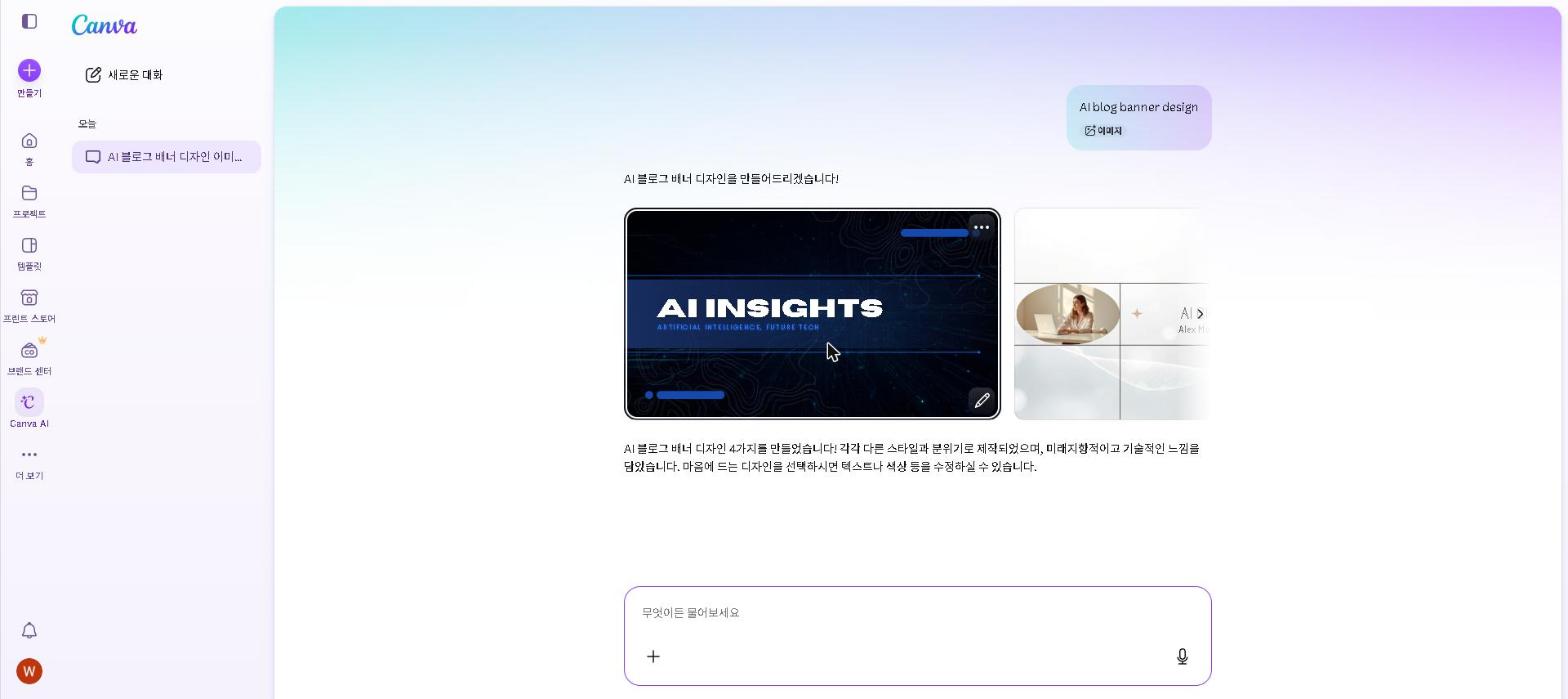
Why it’s essential: Professional visual content signals credibility to potential clients and customers — and Canva AI makes it achievable for businesses without design budgets or skills.
Best for: Social media graphics, marketing materials, presentations, and branded visual content
For a full breakdown of Canva AI’s features, check out our Canva AI Review 2026.
Key Features
- AI image generation for unique marketing visuals
- 250,000+ templates for every marketing format
- Brand Kit for consistent visual identity
- Background remover and Magic Edit tools
- Social media scheduler integration
My Take
The typical small-business problem Canva AI gets bought to solve is a visual identity built on stock photos and one template that has not changed in years. The setup reviewers describe is the same each time: a Pro account loaded with brand colours, fonts and a custom template for social posts, after which the weekly visual-content workload drops sharply. We have not run that implementation ourselves — this is drawn from Canva’s documentation and verified user reviews — so treat the time saving as directional rather than a number you can bank.
The Brand Kit is the feature reviewers credit most. When every visual automatically uses the right colors and fonts without manual selection, the consistency compounds across all channels. For a small business where the owner is doing their own marketing, that consistency improvement without extra effort is genuinely valuable.
Pricing: Free / $18 per month ($15 on annual billing)
4. Grammarly — For Communication Where Every Message Counts
Why it’s essential: For small businesses, every client communication is a reflection on the business. One poorly worded email to a key prospect or an error-filled proposal can undermine credibility that took months to build.
Best for: Ensuring all business communication is polished, professional, and error-free
For a full breakdown of Grammarly’s features, check out our Grammarly Review 2026.
Key Features
- Real-time grammar and spelling checking across all platforms
- Tone detection before sending important communications
- Works inside Gmail, Google Docs, Slack, and more
- Clarity and readability suggestions
- Strong free plan
My Take
Grammarly’s free browser extension is the easiest thing on this list to set up — it takes two minutes and costs nothing. We’ve only checked it on the free plan, so this leans on its documentation and verified user reviews. For small business communication, the tone detection is the most valuable part: emails written under pressure — when a project is behind, when a client is difficult — are the ones most likely to have tone problems, and Grammarly flags them before they go out.
Pricing: Free / $30 per month ($12 on annual billing) — the plan is now called Pro
5. Tidio — For Answering Customer Questions When You’re Not Available
Why it’s essential: Small businesses lose sales to slow response times more than almost any other single factor — a customer with a question who doesn’t get an answer within a few minutes often just leaves. Tidio’s AI chatbot answers the repetitive questions instantly, any time of day.
Best for: Answering common customer questions on your website automatically, outside business hours
Tidio combines live chat with an AI chatbot (Lyro) that can be trained on your own product pages, FAQs, and policies to answer customer questions without a human on the other end.
Key Features
- AI chatbot trained on your own site content and FAQs
- Live chat widget for real-time human handoff
- Works across website, email, and Messenger
- Basic analytics on common customer questions
- Free plan for light chat volume
My Take
An honest note: Tidio replaced Notion AI’s slot in this list specifically for the customer-service use case, and we haven’t run our own support inbox through it — this is based on Tidio’s official feature set and what verified users report. The core value proposition, per Tidio and its reviewers, is training the chatbot (Lyro) on your own shipping policy and product FAQ so it can resolve the repetitive questions that generate the most support emails — particularly outside business hours when no one’s available to answer anyway.
The honest caveat: the free plan covers basic live chat, but the AI chatbot (Lyro) is a separate paid add-on once you’re past a small monthly conversation volume — so budget for that specifically rather than assuming “Tidio” and “free AI chatbot” mean the same thing.
Pricing: Free (50 conversations/month, no AI) / $29 per month (Starter) + Lyro AI add-on from $39/month
Common Mistakes
Turning on an AI chatbot before there’s enough content to train it on. Reviewers consistently report vague answers from Tidio’s Lyro when a business doesn’t yet have a solid base of product pages and policies for it to draw from. It earns its place once you have consistent, well-documented answers to train it on — not on day one.
Using AI for every email. Prompting for every message creates more friction than it removes for short, routine replies. ChatGPT earns its time on emails that need careful thought — proposals, difficult conversations, formal updates. For quick replies, writing directly is faster.
How to Build Your Free Small Business AI Toolkit
If you’re starting today, use this exact setup:
- ChatGPT (free) → daily communication and content creation
- Canva AI (free) → marketing visuals and branded content
- Grammarly (free) → client-facing polish
This combination addresses the three most common small business AI needs — and costs nothing to set up. Add Claude and Tidio as your volume and complexity grow.
The Most Effective Small Business AI Workflow
Client Communication (ChatGPT + Grammarly): Draft with ChatGPT, tone-check with Grammarly, send with confidence.
Marketing Content (ChatGPT + Canva AI): Write captions and copy with ChatGPT, create matching visuals in Canva AI, maintain brand consistency across channels.
High-Stakes Writing (Claude + Grammarly): Draft with Claude for the quality that matters, polish with Grammarly before sending.
Customer Support (Tidio): Let the AI chatbot answer common questions automatically, escalate the rest to a human.
Who This Is NOT For
Skip paid AI tools if you:
- Are pre-revenue or just starting out — focus on getting your first clients before optimizing workflow
- Work in a highly regulated industry where AI-assisted content requires legal review
- Have only a handful of clients and simple communication needs — free plans cover this easily
- Prefer fully manual processes as a matter of business principle
Frequently Asked Questions
What is the best free AI tool for small businesses?
ChatGPT’s free plan covers the widest range of small business needs. Combine it with Canva AI for visuals and Grammarly for polish to build a complete free toolkit.
Can AI replace employees for small businesses?
AI tools can handle many tasks that previously required dedicated staff — but they work best as tools that augment a small team, not replace the judgment and relationship-building that humans provide. The businesses that get the most from AI tools are the ones that use them to free up human capacity for the work that actually requires human judgment.
Which is better for small businesses — ChatGPT or Claude?
They serve different needs. ChatGPT for versatility and quick tasks. Claude for high-quality, client-facing writing. Most small businesses benefit from using both free plans. For a detailed comparison, see our ChatGPT vs Claude 2026 guide.
How long does it take to set up an AI toolkit for a small business?
The free toolkit described above can be set up in under two hours. The time investment pays back within the first week of regular use — in most cases, within the first two or three tasks you complete with it.
Are AI Tools Worth It for Small Businesses in 2026?
For most small businesses, AI tools pay for themselves within days — not months.
For a small business owner billing at $75/hour, saving 5 hours per week with AI tools is worth $375/week in recovered time — over $19,000 per year. The free tools on this list can deliver most of that saving without any subscription cost.
The one thing I’d emphasize: AI still requires human judgment. Outputs can be inaccurate or off-brand — especially for client-facing communication. Always review before sending. The tools are powerful, but the human in the loop remains essential.
Final Thoughts
The best AI tools for small businesses in 2026 don’t replace what makes a small business good — the relationships, the expertise, the trust built over time. What they replace is the administrative overhead that was consuming time that should have gone toward those things.
Start with the free toolkit. Measure the time savings. Upgrade only when you’ve identified a specific gap that free tools can’t fill. That approach works better than trying to build the perfect system from day one.
What’s been the hardest part of introducing AI into your small business? Share in the comments — especially whether the biggest savings came from mundane tasks rather than the most impressive features.
Last updated: September 2026
Written by Ian Sung — IT professional working in automation, scripting and workflow tooling. ChatGPT, Claude and Google Gemini are part of my daily work; every other tool covered here is assessed from a free-plan check, official documentation and verified user reviews, and each review says which applies.
Pingback: Canva AI Review 2026: Is It Worth It? | AI Tool Spot
Pingback: Copy.ai Review 2026: Is It Worth It? (Honest Review) | AI Tool Spot