TL;DR: The best AI image generators in 2026 make professional-quality visual content accessible to anyone — and several are completely free. Midjourney leads for artistic quality, DALL-E 3 is the most accessible for ChatGPT users, Adobe Firefly is the safest for commercial use, and Canva AI is the most practical for everyday content creation.
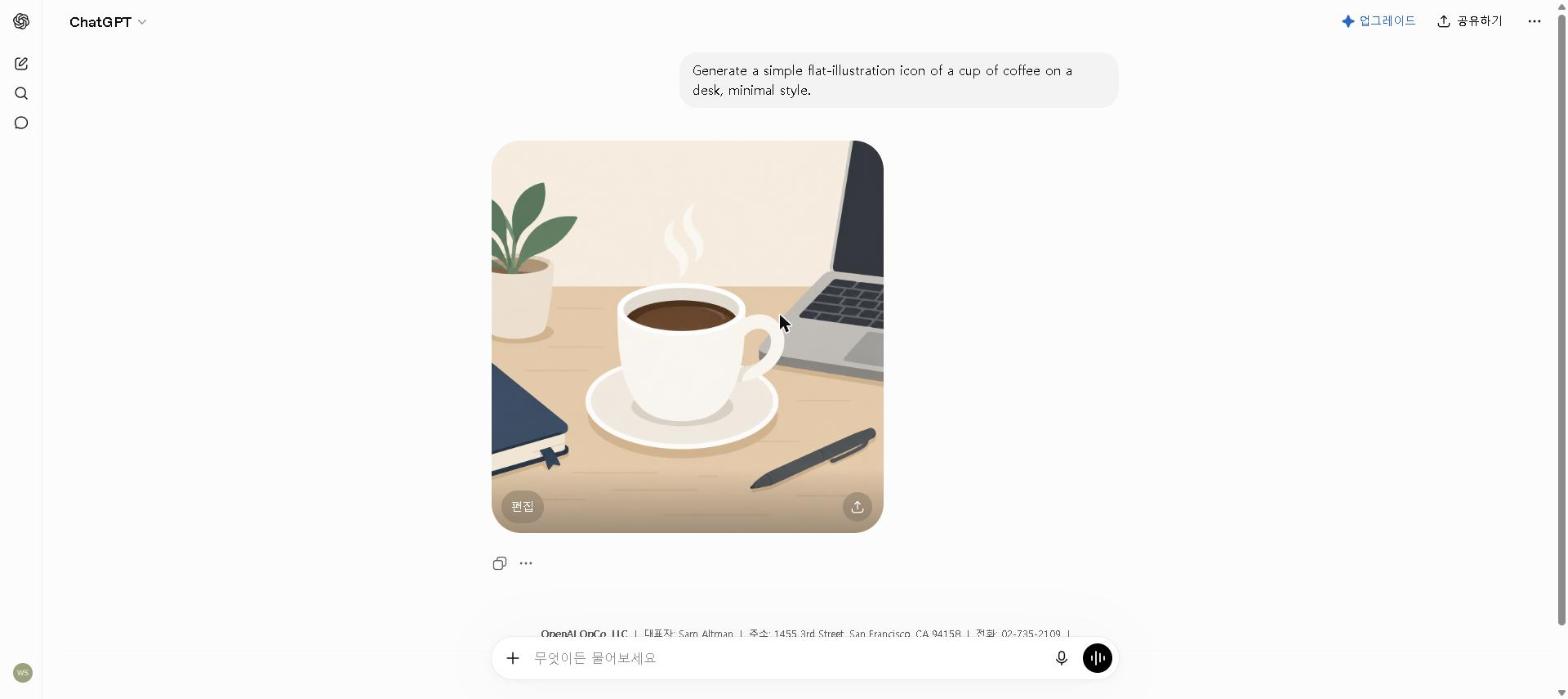
Here’s a real image I generated with ChatGPT’s built-in image tool (DALL-E 3):
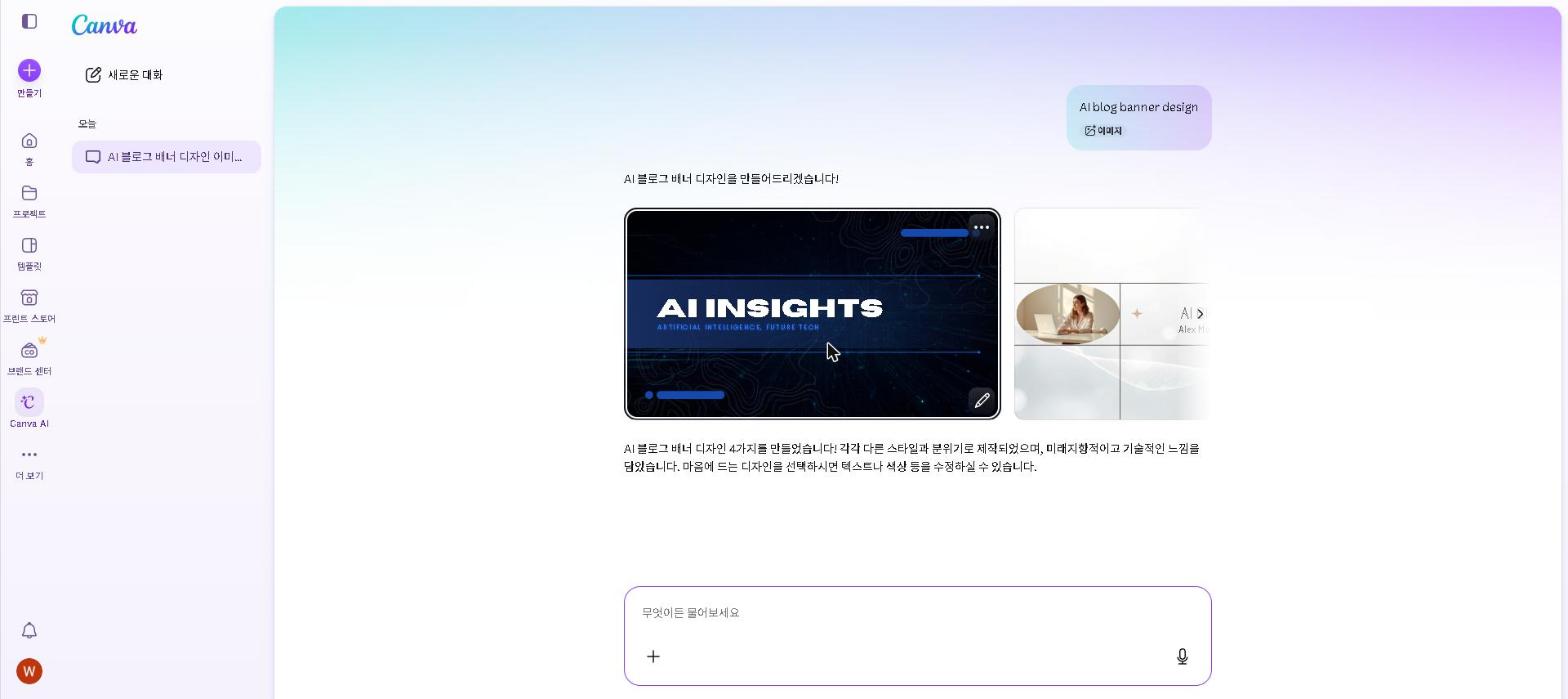
And here’s Canva AI’s design generator, checked on a free-plan account:
The best AI image generators in 2026 have fundamentally changed what’s possible in visual content creation. What once required professional design skills can now be done in seconds with a simple text prompt — and the results are genuinely impressive.
Of the tools below, I’ve used ChatGPT’s image generation directly and checked Canva AI on a free plan. Midjourney, Adobe Firefly, Stable Diffusion and Leonardo AI are covered from their official documentation and verified user reviews, and each section says so.
According to industry research, AI image generation has become one of the fastest-growing creative software categories — with adoption accelerating rapidly among content creators, marketers, and designers who use it to produce visual content at previously impossible speed and scale.
If you only care about the short answer: use Midjourney for the highest quality artistic images, DALL-E 3 if you’re already a ChatGPT user, Adobe Firefly for commercial projects, and Canva AI for everyday social media and marketing content.
Should You Use AI Image Generators?
- Do you create blog featured images or social media graphics regularly? → Yes, AI will cut your design time significantly
- Are you a marketer who needs commercial-safe images? → Yes, Adobe Firefly is built for you
- Do you create game assets or concept art? → Yes, Leonardo AI is the best specialized option
- Are you a designer who wants the highest quality output? → Yes, Midjourney is worth the investment
- Do you only need occasional images? → Start with Canva AI or Leonardo AI free plans
Quick Comparison Table
| Tool | Best For | Free Plan | Starting Price |
|---|---|---|---|
| Midjourney | Artistic & professional images | ❌ No | $10/month |
| DALL-E 3 | Realistic & versatile images | ✅ Limited | $20/month |
| Adobe Firefly | Commercial-safe images | ✅ Yes | $9.99/mo (Standard) |
| Canva AI | Social media & marketing | ✅ Yes | $18/mo ($15 annual) |
| Stable Diffusion | Advanced & customizable | ✅ Yes | Free |
| Leonardo AI | Game art & creative images | ✅ Yes | $12/month |
Bottom line: For most content creators, the free plans of Canva AI and Leonardo AI cover everyday needs. Midjourney is worth paying for when image quality is a competitive differentiator.
Best AI Image Generators: Key Differences at a Glance
- Best for artistic quality: Midjourney
- Best free AI image generator: Leonardo AI or Stable Diffusion
- Best for beginners: Canva AI or DALL-E 3
- Best for commercial use: Adobe Firefly
- Best for social media: Canva AI
- Best for game art: Leonardo AI
- Best for realistic photos: DALL-E 3
1. Midjourney — Best for Artistic and Professional Images
Why it’s worth it: Midjourney produces the highest quality artistic images of any AI generator — consistently, across every style. For content creators where visual quality is a competitive differentiator, the results justify the price.
Best for: High-quality artistic images, creative projects, and professional visuals
Midjourney remains the gold standard for AI image generation in 2026. If you want stunning, artistic images that look like they were created by a professional designer, Midjourney is still the tool to beat.
Key Features
- Produces the highest quality artistic images available
- Wide range of styles from photorealistic to abstract
- Active community with thousands of style references
- Regular model updates with significant quality improvements
- Works via Discord and web interface
Our Take
We have not subscribed to Midjourney ourselves; this section is based on its official documentation and verified user reviews. Reviewers consistently rate its output the strongest of any generator for finished, publication-ready images, which is why it keeps turning up in blog and marketing workflows in place of stock photography. The main downside is the lack of a free plan, which makes it harder to try before committing.
Pricing: From $10 per month (Basic plan)
2. DALL-E 3 (ChatGPT) — Best for Realistic and Versatile Images
Why it’s worth it: If you already use ChatGPT, DALL-E 3 is the most convenient AI image generator available — no separate app, no additional cost.
Best for: Realistic images, following complex prompts, and everyday use
DALL-E 3, integrated directly into ChatGPT, is one of the most accessible AI image generators available. It excels at following complex, detailed prompts and producing realistic results.
For a comparison of ChatGPT Plus vs the free plan, check out our Is ChatGPT Plus Worth It in 2026? guide.
Key Features
- Excellent at following detailed, complex prompts
- Produces realistic and photographic-style images
- Integrated directly into ChatGPT (Plus)
- No separate app or account needed
- Supports image editing and variations
Our Take
DALL-E 3’s biggest strength is following complex instructions — a detailed prompt that specifies style, composition and colour palette tends to come back close to what you asked for. For ChatGPT Plus subscribers, it’s the most convenient image generator available.
Pricing: Limited free access / $20 per month (ChatGPT Plus)
3. Adobe Firefly — Best for Commercial-Safe Images
Why it’s worth it: Adobe Firefly is the only major AI image generator trained exclusively on licensed content — making it the only truly safe choice for commercial projects.
Best for: Marketing, commercial projects, and brand content
Adobe Firefly is trained exclusively on licensed and public domain content — which means every image it generates is safe to use commercially without copyright concerns.
Key Features
- Trained on licensed content — commercially safe to use
- Integrates with Adobe Creative Cloud (Photoshop, Illustrator)
- Generative fill for editing existing images
- Text effects and vector generation
- Strong free plan with monthly credits
Our Take
We have not used Adobe Firefly on client work ourselves; this is based on its official documentation and verified user reviews. The draw reviewers cite first is commercial safety — Firefly is trained on licensed content — followed by generative fill in Photoshop, which extends and edits images in ways that would otherwise take hours by hand. For anyone creating content for clients or commercial use, Firefly’s copyright safety alone justifies choosing it over alternatives.
Pricing: Free (25 credits/month) / From $9.99 per month (Standard)
4. Canva AI — Best for Social Media and Marketing Content
Why it’s worth it: Canva AI combines image generation with a complete design platform — making it the most efficient tool for non-designers who need professional-looking content quickly.
Best for: Social media graphics, presentations, and marketing materials
For a full breakdown of Canva AI’s features beyond image generation, check out our Canva AI Review 2026.
Key Features
- AI image generation built into Canva’s design platform
- Magic Edit for modifying existing images
- Background remover and image enhancer
- Thousands of templates to combine with AI images
- Works in the browser — no software installation needed
Our Take
We’ve only checked Canva AI on a free plan, so this leans on Canva’s documentation and verified user reviews. The workflow reviewers value is generating an image and dropping it straight into a branded template in the same tool, instead of generating elsewhere and importing. For social media managers producing a lot of visual content, that removes a real step from every post.
Pricing: Free / $18 per month ($15 on annual billing)
5. Stable Diffusion — Best for Advanced Users
Why it’s worth it: Stable Diffusion is completely free, runs locally, and offers more customization than any commercial tool — for users willing to invest the setup time.
Best for: Full customization, privacy, and running locally
Stable Diffusion is the most powerful free AI image generator available — but it requires more technical knowledge than the other tools on this list.
Key Features
- Completely free and open source
- Can run locally on your own computer
- Highly customizable with thousands of community models
- No content restrictions (when run locally)
- Large active community with extensive resources
Our Take
We haven’t run Stable Diffusion ourselves; this is based on its documentation and the large user community around it. Its appeal is control: local installs support thousands of community models and settings no commercial tool exposes. The trade-off is complexity — setup takes time, and getting great results requires learning. For casual users, the other tools on this list are better starting points.
Pricing: Free (open source)
6. Leonardo AI — Best for Game Art and Creative Projects
Why it’s worth it: Leonardo AI’s specialized models for game art and concept illustration produce results that general-purpose tools simply can’t match — and the free plan is genuinely generous.
Best for: Game assets, concept art, and creative illustration
Key Features
- Specialized models for game art and concept illustration
- Image-to-image generation and style transfer
- Motion generation for animated content
- Generous free plan with daily credits
- Active community sharing models and styles
Our Take
We have not used Leonardo AI ourselves; this is based on its official documentation and verified user reviews. Reviewers working on game art and concept illustration report that its specialized models produce noticeably more polished character designs than general-purpose generators. The free plan — with daily credits that reset every 24 hours — makes it one of the best free AI image generators available for creative work.
Pricing: Free (150 credits/day) / From $12 per month (Apprentice)
Who This Is NOT For
Skip paid AI image generators if you:
- Only need images occasionally — the free plans of Canva AI and Leonardo AI cover low-volume needs
- Are a professional photographer — AI generators complement but don’t replace photography
- Need images of specific real people or places — AI generators aren’t reliable for this use case
- Work in an industry with strict content policies — verify AI image use is permitted before adopting
Are AI Image Generators Worth It in 2026?
The best AI image generators in 2026 have made visual content creation accessible to everyone.
The quality is genuinely impressive. In 2026, the best tools produce images that are difficult to distinguish from professionally designed graphics — for blog images, social media content, and marketing materials, AI image generators can replace a significant amount of design work.
The free plans are surprisingly capable. Adobe Firefly, Canva AI, Leonardo AI, and Stable Diffusion all offer meaningful free access. For most casual users, you don’t need to pay anything to get started.
But they’re not perfect. AI image generators still struggle with specific details — hands, text within images, and highly specific compositions can produce unexpected results. The best approach is to use AI for the bulk of the work and refine manually where needed.
Final Thoughts
AI image generation has transformed visual content creation in 2026. Whether you’re a blogger, marketer, game developer, or designer, there’s a tool on this list that fits your needs and budget.
Start with Canva AI or Leonardo AI for free, explore DALL-E 3 if you’re a ChatGPT user, and consider Midjourney when you’re ready to invest in the highest quality output available.
Have you tried any of these AI image generators? Share your experience in the comments below!
Last updated: September 2026
Written by Ian Sung — IT professional working in automation, scripting and workflow tooling. ChatGPT, Claude and Google Gemini are part of my daily work; every other tool covered here is assessed from a free-plan check, official documentation and verified user reviews, and each review says which applies.
Pingback: ChatGPT vs Claude: Which AI Is Better in 2026? | AI Tool Spot
Pingback: Canva AI Review 2026: Is It Worth It? | AI Tool Spot
Pingback: Claude AI Review 2026: Is It Worth It? | AI Tool Spot
Pingback: Midjourney Review 2026: Is It Worth It? (Honest Review) | AI Tool Spot
Pingback: Is ChatGPT Plus Worth It in 2026? (Free vs Paid Honest Review) | AI Tool Spot
Pingback: Perplexity AI vs ChatGPT: Which Is Better in 2026? | AI Tool Spot