TL;DR: The best AI tools for productivity in 2026 can save you 3–5 hours per week — and most of them are free. ChatGPT handles writing and planning, Notion AI organizes your workspace, and Reclaim AI manages your calendar. Together, they address every major productivity bottleneck at no cost.
I’ll be upfront about where this list comes from: ChatGPT is the only tool here I use every day. Notion AI and Grammarly I’ve checked on their free plans; Reclaim AI and Motion are covered from their official documentation and verified user reviews. Each section says which applies.
Stanford HAI’s 2026 AI Index puts organizational adoption at 88%, with 70% of organizations using generative AI in at least one business function.
If you only care about the short answer: start with ChatGPT for everyday tasks and Notion AI for organizing them. Add the others once the first two are habits.
Should You Use AI Productivity Tools?
- Do you spend more than 2 hours per week on emails and communication? → Yes, AI will save you significant time
- Does your calendar feel chaotic and unmanageable? → Yes, Reclaim AI will fix this
- Do you struggle to find information across scattered notes? → Yes, Notion AI solves this
- Do you only use productivity tools occasionally? → Start with ChatGPT free — it covers most needs
Quick Comparison Table
1. ChatGPT — Best All-Round Productivity Tool
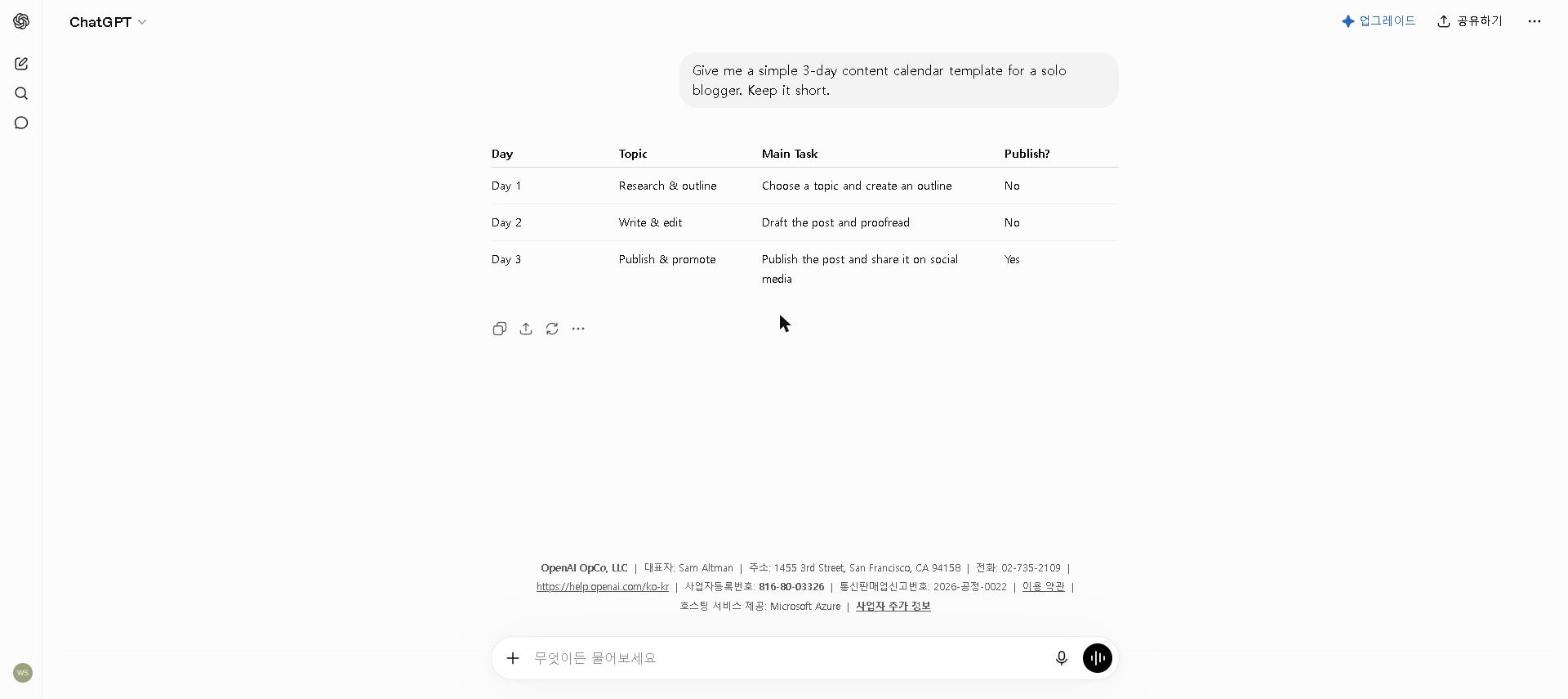
Best for: Writing, brainstorming, summarizing, and coding
ChatGPT remains the most versatile AI productivity tool available in 2026. Whether you need to draft an email, summarize a long document, brainstorm ideas, or automate a repetitive task, ChatGPT handles it faster than any other tool on this list.
For tips on getting the most out of ChatGPT’s free plan, check out our How to Use ChatGPT for Free in 2026 guide.
Key Features
- Drafts emails, reports, and documents in seconds
- Summarizes long documents and articles
- Automates repetitive writing tasks
- Answers questions and explains complex topics
- Supports file uploads and data analysis (Plus)
My Take
ChatGPT is the first tool I reach for on most productivity tasks — drafting emails, turning rough notes into a plan, and summarizing long documents. Meeting prep is a good example of where it helps: paste in the background material and ask for the key questions and a short summary of what matters. For most productivity use cases, the free plan is more than enough to get started.
Pricing: Free / $20 per month (Plus)
2. Notion AI — Best for Note-Taking and Organization
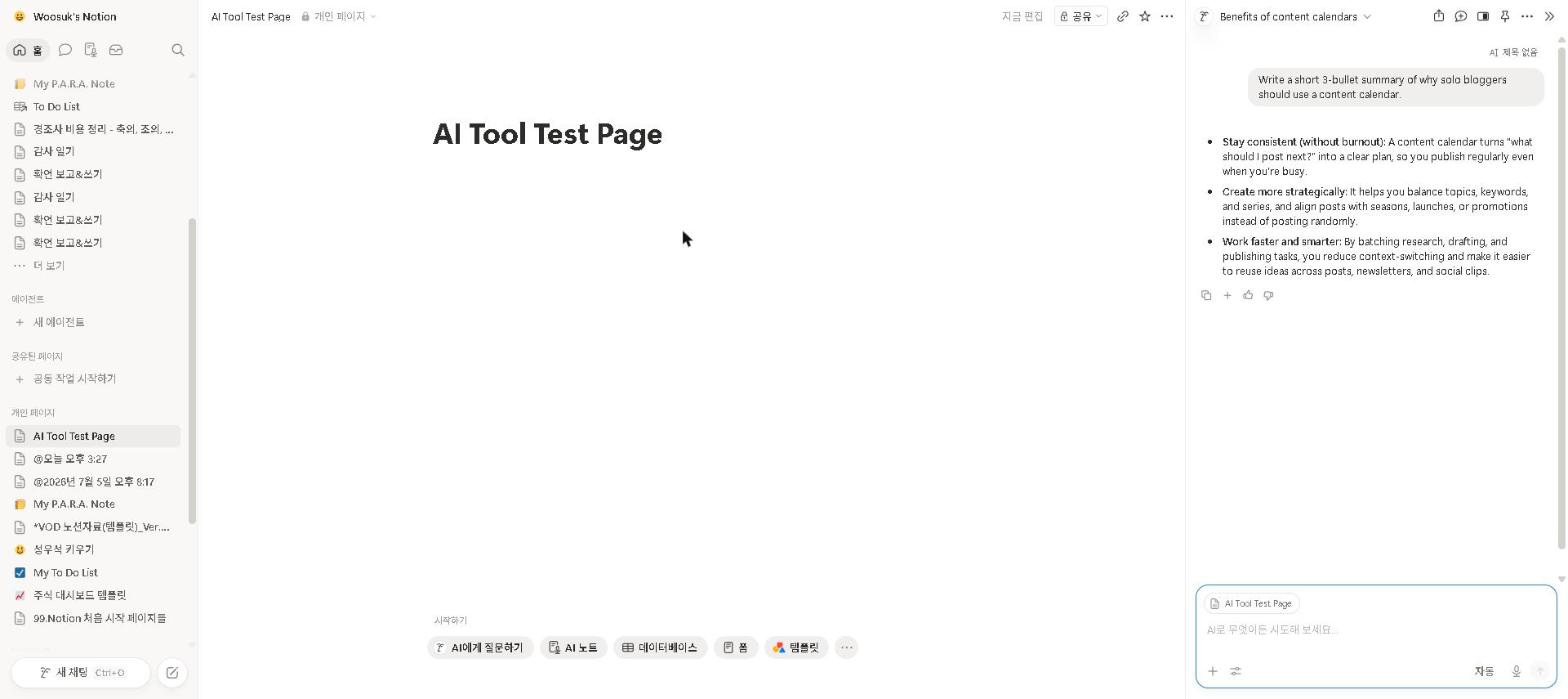
Best for: Organizing notes, summarizing documents, and project management
Notion AI combines one of the most powerful note-taking and project management apps with a built-in AI assistant.
For a full breakdown of Notion AI’s features, check out our Notion AI Review 2026.
Key Features
- Summarizes long notes and documents instantly
- Turns messy notes into structured summaries
- Answers questions about your own workspace
- Extracts action items from meeting notes
- Works across all devices
My Take
We’ve only checked Notion AI on a free-plan workspace, so this is based on that check plus Notion’s documentation and verified user reviews. The feature long-term users credit most is Q&A over their own notes — asking “what did we decide about X last month?” and getting an answer from the workspace instead of searching three different apps. That only works if your notes actually live in Notion, which is the real commitment here.
Pricing: Free and Plus include a capped AI trial only / full AI is included in Business at $20 per member per month
3. Reclaim AI — Best for Smart Scheduling
Best for: Automatically scheduling tasks, meetings, and focus time
Reclaim AI connects to your Google Calendar and automatically schedules your tasks, meetings, and focus blocks.
Key Features
- Automatically schedules tasks around your meetings
- Protects focus time by blocking distractions
- Syncs with Google Calendar seamlessly
- Smart meeting scheduling with buffer time
- Habit tracking and scheduling
My Take
We haven’t used Reclaim AI ourselves; this is based on its official documentation and verified user reviews. Its core idea is defensive: it automatically blocks focus time and buffer time between meetings, and because those blocks show as busy, colleagues stop booking over them. Reviewers most often credit it with protecting deep-work time. Check calendar compatibility before committing — support is narrower than most scheduling apps.
Pricing: Free / $12 per month ($10 on annual billing)
4. Grammarly — Best for Writing and Communication
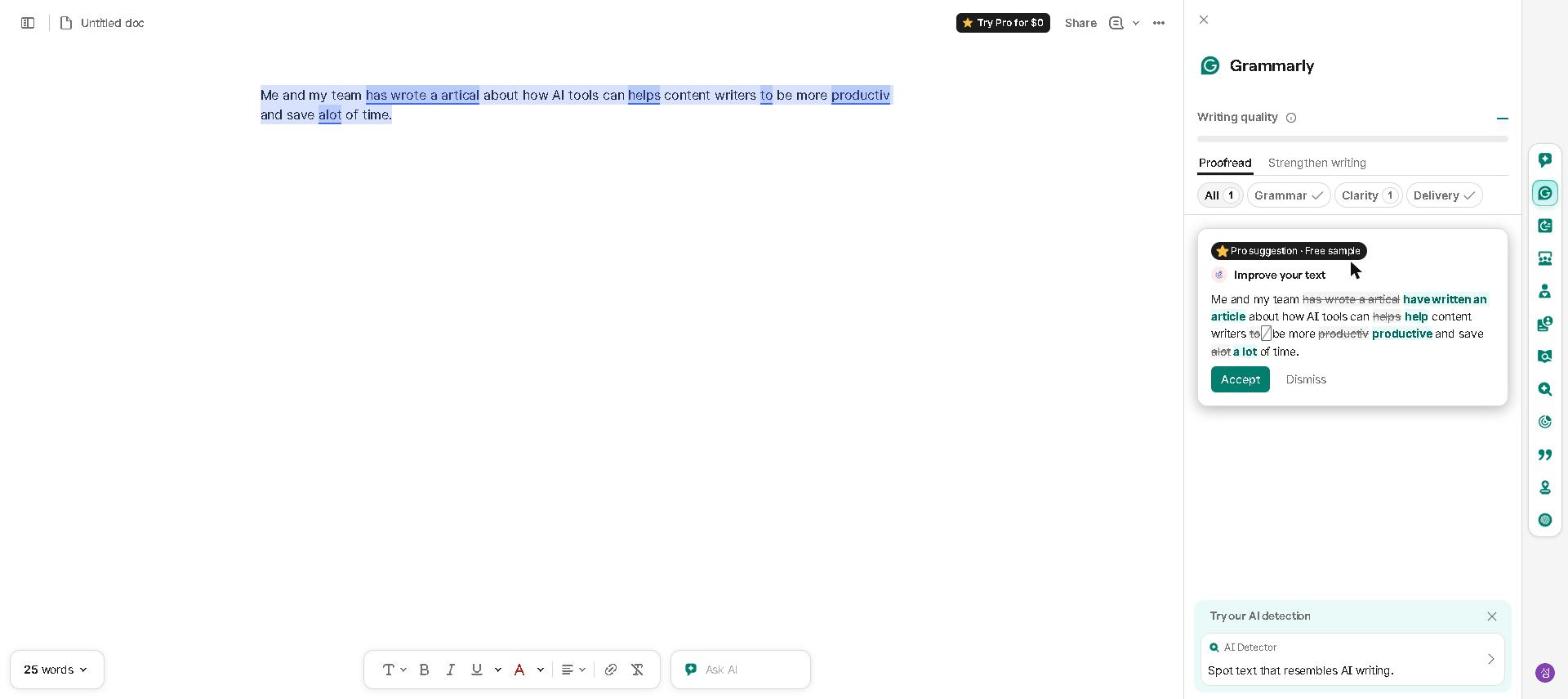
Best for: Improving writing quality across all platforms
Grammarly is the most widely used AI writing assistant in the world — and it works everywhere you write.
For a full breakdown of Grammarly’s features, check out our Grammarly Review 2026.
Key Features
- Real-time grammar, spelling, and style corrections
- Tone detection and suggestions
- Plagiarism checker (Premium)
- Works across browsers and apps
- AI-powered rewriting suggestions
My Take
Grammarly is the easiest tool on this list to try — the free browser extension installs in a couple of minutes and works in almost every text box. We’ve only checked it on the free plan, so this leans on Grammarly’s documentation and verified user reviews: the feature reviewers value most is tone detection, which flags when an email reads as more aggressive or dismissive than intended before you hit send.
Pricing: Free / $30 per month ($12 on annual billing) — the plan is now called Pro
5. Motion — Best for Task and Calendar Management
Best for: Automatically prioritizing and scheduling your tasks
Motion automatically builds your daily schedule based on your tasks, deadlines, and calendar.
Key Features
- Automatically builds your daily schedule
- Reprioritizes tasks when plans change
- Combines task management and calendar in one app
- Meeting scheduler included
- Works on desktop and mobile
My Take
We have not used Motion or Reclaim AI ourselves; this is based on their official documentation and verified user reviews. Motion’s fully automated approach to scheduling divides reviewers sharply: people with predictable days praise it, while those whose priorities shift unpredictably find it too rigid and want more manual control than it gives them. Reclaim AI is the alternative that second group names most often.
Pricing: $19 per month (no free plan)
What Didn’t Work (Being Honest)
Trying to adopt too many tools at once. Starting ChatGPT and a second AI tool in the same week, with more waiting on a shortlist, is the most common way adoption fails — the habit overhead is too high and none of them stick. The lesson, and the one we followed ourselves with ChatGPT: one tool at a time, fully embedded, beats five tools used sporadically.
Over-automating routine decisions. There’s a temptation to use AI for everything — including decisions that are fast enough to make manually. I’ve learned to use AI where the time saving is meaningful, not as a default for every small task.
Who This Is NOT For
Skip paid AI productivity tools if you:
- Use productivity tools only occasionally — free plans cover this easily
- Are just starting out with AI tools — start with ChatGPT free and build one habit at a time
- Work in a highly regulated environment where AI tools require approval
- Prefer a fully manual workflow and aren’t comfortable with AI tools yet
Best AI Productivity Tools for Specific Use Cases
- Best AI tool for writing productivity: ChatGPT or Grammarly
- Best AI tool for scheduling: Reclaim AI
- Best AI tool for note-taking: Notion AI
- Best free AI productivity tool: ChatGPT or Grammarly
- Best AI tool for remote workers: Reclaim AI
Final Thoughts
The right frame for AI productivity tools isn’t having them do your work for you — it’s removing the low-value overhead that eats into the time you need for actual work. That’s how ChatGPT earns its place in my day, and it’s the test worth applying to every other tool on this list.
Start with one tool. Embed it properly. Add the next one only when the first is a genuine habit. That approach works; trying to transform your entire workflow overnight doesn’t.
Which AI productivity tool has made the biggest difference in your workflow? Share in the comments — I’m genuinely curious what’s working for other people.
Last updated: September 2026
Written by Ian Sung — IT professional working in automation, scripting and workflow tooling. ChatGPT, Claude and Google Gemini are part of my daily work; every other tool covered here is assessed from a free-plan check, official documentation and verified user reviews, and each review says which applies.
Pingback: Best AI Coding Tools in 2026 (Free & Paid) | AI Tool Spot
Pingback: Best AI Tools for Time Management in 2026 | AI Tool Spot
Pingback: Otter.ai Review 2026: Is It Worth It? (Honest Review) | AI Tool Spot
Pingback: ChatGPT vs Claude: Which AI Is Better in 2026? | AI Tool Spot
Pingback: How I Use AI Tools Every Day (My Real Workflow in 2026) | AI Tool Spot